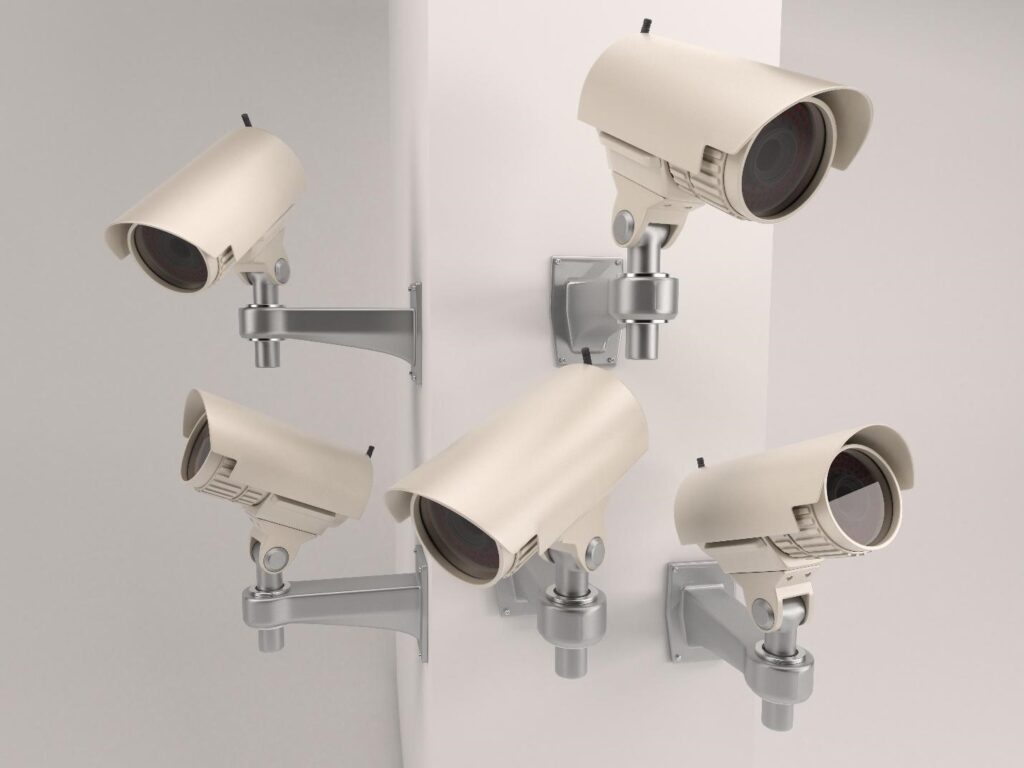
Professional Wi-Fi Deployment for Offices: In today’s digital workplace, fast and reliable internet connectivity is no longer optional — it is essential. From cloud applications and VoIP calls to video conferencing and smart office systems, everything depends on a stable wireless network. Yet many offices still rely on basic routers that were never designed for high-density business environments.
So, why choose professional Wi-Fi deployment for offices?
Professional Wi-Fi deployment ensures optimized coverage, enterprise-level security, seamless connectivity, and scalable performance designed specifically for business operations. Unlike DIY router setups, professional deployment involves site surveys, network planning, enterprise hardware, and advanced configuration tailored to your office layout and user load.
If your office experiences slow speeds, dead zones, dropped video calls, or network congestion, this guide will explain why investing in professional Wi-Fi infrastructure is a smart long-term decision.
What Is Professional Wi-Fi Deployment?
Professional Wi-Fi deployment is a structured, engineered approach to designing and installing a business-grade wireless network. It goes far beyond plugging in a router.
Instead of relying on a single device placed randomly in a corner, professional deployment includes:
Detailed site survey
Heat mapping and signal analysis
Strategic access point placement
Channel and frequency optimization
Bandwidth allocation planning
Security configuration
Ongoing monitoring and management
The goal is to create a seamless wireless ecosystem where users can move around the office without losing connection, and where performance remains stable even during peak usage.
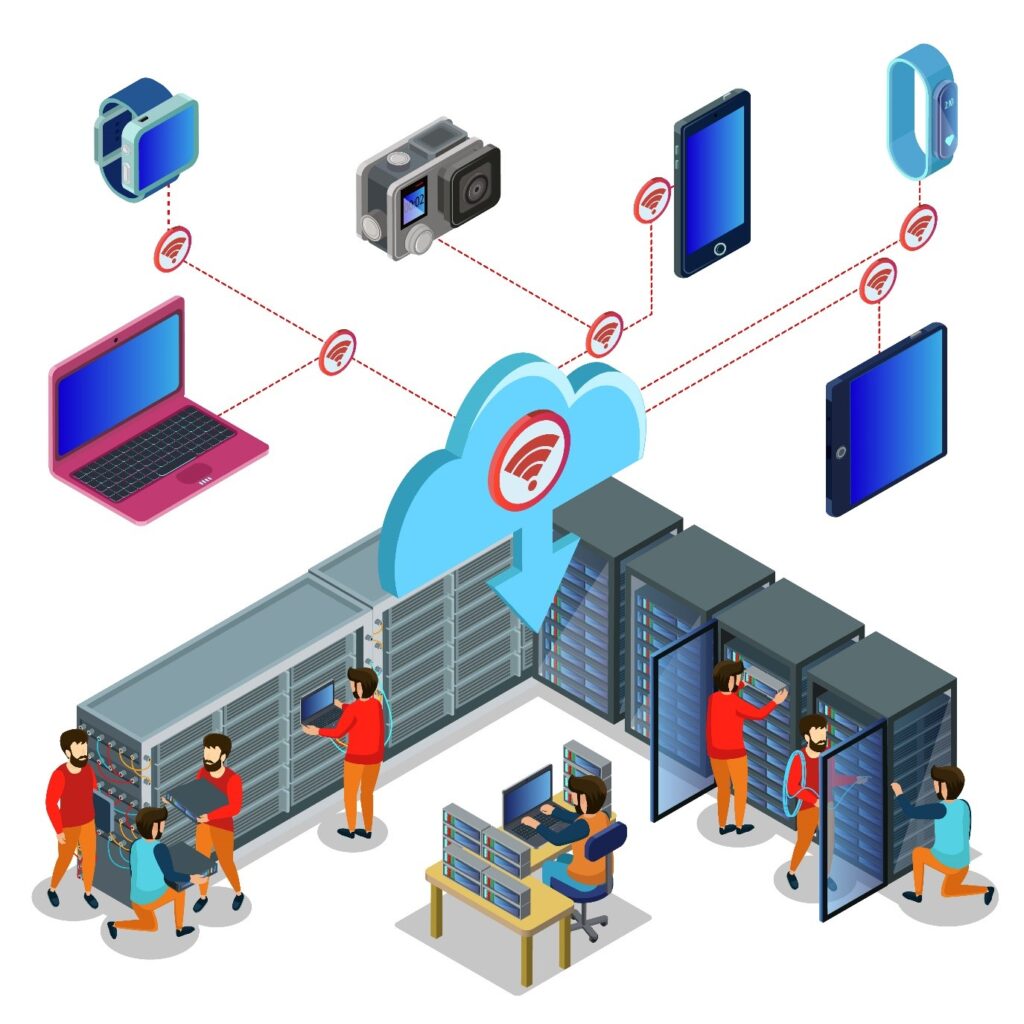
Professional Wi-Fi systems typically use enterprise-grade access points (APs), Power over Ethernet (PoE) switches, controllers, and firewall integration. These components work together to provide centralized control, advanced security, and optimized performance.
Unlike home routers, business Wi-Fi infrastructure is built to handle:
High device density
Large file transfers
Continuous cloud usage
Video conferencing traffic
IoT devices
In simple terms, professional Wi-Fi deployment transforms your office network from a basic connectivity tool into a scalable digital backbone.
Common Problems with Basic Office Wi-Fi Setup
Many offices underestimate the limitations of consumer-grade routers. While they may work for small home environments, they struggle in business settings.
1. Dead Zones
Large office layouts, glass partitions, concrete walls, and metal structures block signals. Without proper planning, some areas experience weak or no connectivity.
2. Network Congestion
When multiple employees connect laptops, phones, tablets, printers, and IoT devices to one router, bandwidth becomes overloaded. This results in slow speeds and buffering.
3. Security Vulnerabilities
Basic routers lack enterprise-grade security features such as VLAN segmentation, advanced firewall policies, and secure authentication protocols.
4. Poor Roaming Experience
Employees moving between meeting rooms may experience dropped connections because basic routers do not support seamless roaming.
5. Limited Scalability
As the business grows, adding more devices often requires replacing the entire setup rather than expanding strategically.
These issues directly impact productivity, employee satisfaction, and business operations.
Why Choose Professional Wi-Fi Deployment for Offices?
Here is the direct answer:
Professional Wi-Fi deployment provides optimized coverage, high performance under heavy load, enterprise-level security, seamless roaming, scalability, and centralized network control tailored specifically for business environments.
Let’s explore these benefits in detail.
Optimized Coverage and Signal Strength
Professional deployment begins with a site survey and heat mapping analysis. This ensures access points are placed in optimal positions to eliminate dead zones.
Instead of relying on signal guesswork, network engineers analyze:
Building materials
Office layout
Device density
Interference sources
The result is uniform coverage across all departments, meeting rooms, reception areas, and workstations.
Better Performance Under High User Load
Offices often have dozens or even hundreds of connected devices. Enterprise access points are designed to handle simultaneous high traffic without degrading performance.
Features include:
Band steering
Load balancing
Multi-user MIMO
Dual-band and tri-band support
This ensures smooth video conferencing, fast cloud application access, and uninterrupted collaboration.
Enterprise-Level Security
Security is one of the strongest reasons to choose professional Wi-Fi deployment.
Business-grade systems offer:
WPA3 encryption
VLAN segmentation
Guest network isolation
Firewall integration
Intrusion detection
These features protect sensitive business data and reduce the risk of cyber threats.
Seamless Roaming Across the Office
In large office spaces, employees move between rooms frequently. Professional systems enable seamless roaming, meaning devices automatically switch to the nearest access point without disconnecting.
This is critical for:
VoIP calls
Video meetings
Warehouse scanning systems
Mobile workstations
Scalability for Future Growth
Professional Wi-Fi networks are designed with future expansion in mind. Adding new employees or expanding office space does not require replacing the entire system. Instead, additional access points can be integrated seamlessly.
This protects your investment long term.
Centralized Monitoring and Management
Enterprise systems allow IT teams to monitor network performance in real time. Administrators can:
Track bandwidth usage
Identify bottlenecks
Detect unauthorized devices
Apply security updates remotely
This proactive approach minimizes downtime.
Key Components of a Professional Office Wi-Fi System
A complete professional Wi-Fi deployment typically includes:
Enterprise Access Points
These devices distribute wireless signals efficiently across the office.
PoE Switches
Power access points directly through Ethernet cables, reducing clutter.
Network Controller
Manages all access points from a central dashboard.
Firewall Integration
Protects the network from external threats.
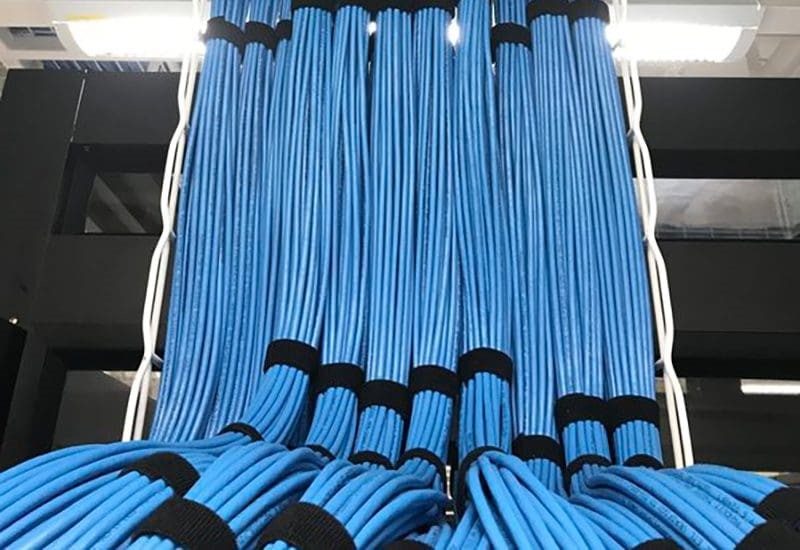
Structured Cabling Infrastructure
Ensures stable wired backbone connectivity supporting the wireless system.
Each component works together to provide reliability, performance, and security.
Business Benefits of Professional Wi-Fi Deployment
Choosing professional deployment impacts business operations positively.
Increased Employee Productivity
Stable internet reduces interruptions and improves workflow efficiency.
Improved Collaboration
High-quality video conferencing and cloud access enhance team communication.
IoT devices, smart lighting, and security systems operate smoothly.
Long-Term Cost Savings
While initial investment is higher, reduced downtime and maintenance costs result in strong ROI.
Professional Wi-Fi Deployment vs Standard Router Setup
Feature
Professional Deployment
Basic Router
Coverage
Optimized via site survey
Random placement
Security
Enterprise-grade
Basic
Scalability
Expandable
Limited
Monitoring
Centralized
Minimal
Performance
High-density ready
Performance drops
This comparison clearly shows why businesses choose professional systems.
Deployment Process Overview
Site assessment
Network design planning
Hardware selection
Installation
Configuration
Testing and optimization
Ongoing monitoring
Each step ensures reliability and performance.
Conclusion: Professional Wi-Fi Deployment for Offices
Why choose professional Wi-Fi deployment for offices?
Because your business depends on connectivity. Professional deployment delivers reliable performance, strong security, seamless coverage, and scalability that basic routers simply cannot provide.
In a modern office environment driven by cloud computing and digital collaboration, investing in professional Wi-Fi is not a luxury — it is a necessity.
If your office struggles with connectivity issues, a professional Wi-Fi assessment could transform your entire workflow.
Modern businesses run on connectivity. From cloud applications and VoIP calls to security systems and data centers, everything depends on a stable and organized network foundation. That foundation is called structured cabling. If you are asking, “What is structured cabling and why is it important?” — the answer goes beyond just cables and wires. It is about building a scalable, reliable, and future-ready infrastructure that supports your entire IT ecosystem.
Structured cabling is a standardized approach to designing and installing a complete telecommunications infrastructure within a building or campus. Instead of running random cables from device to device, structured cabling organizes all network wiring into a centralized, well-planned system. This structured method ensures better performance, easier management, and long-term cost savings.
From small offices to large data centers, structured cabling forms the backbone of digital communication. It supports internet connectivity, internal networks, security cameras, access control systems, and even smart building technologies. Without a properly structured system, businesses often face downtime, cable clutter, troubleshooting difficulties, and scalability problems.
In this comprehensive AEO (Answer Engine Optimization), GEO (Generative Engine Optimization), and SEO-optimized guide, you will learn:
What structured cabling really means
How it works
Its key components
Why it is critical for modern businesses
The long-term benefits of investing in it
By the end, you will clearly understand why structured cabling is not just an IT upgrade—but a strategic business investment.
What Is Structured Cabling?
Structured cabling is a standardized cabling architecture designed to support multiple hardware uses and be suitable for today’s needs and future requirements. Unlike traditional point-to-point wiring—where cables run directly between devices—structured cabling uses a centralized and organized design.
At its core, structured cabling follows international standards such as TIA/EIA guidelines. These standards ensure uniformity, reliability, and compatibility across network installations. The system typically includes entrance facilities, backbone cabling, horizontal cabling, telecommunications rooms, and work area components.
Instead of installing separate cables for computers, phones, security systems, and wireless access points, structured cabling integrates everything into one unified infrastructure. This approach simplifies management and improves efficiency. For example, if a company expands or rearranges its office layout, technicians can easily reconfigure connections from patch panels instead of running entirely new cables.
Structured cabling also supports multiple types of signals including:
Data (internet and LAN)
Voice (VoIP systems)
Video (CCTV and conferencing)
Building automation systems
Another major advantage is scalability. As businesses grow and adopt new technologies like cloud computing or IoT devices, structured cabling can accommodate increased bandwidth demands without complete replacement.
In simple terms, structured cabling is the organized nervous system of a building’s communication network. It ensures all devices communicate efficiently, reliably, and securely.
Key Components of Structured Cabling
Understanding structured cabling requires knowing its essential components. Each part plays a specific role in maintaining network stability and performance.
1. Entrance Facility
This is where external service provider cables enter the building. It serves as the transition point between outside networks and internal infrastructure. Proper grounding and protection systems are implemented here to ensure safety and signal integrity.
2. Backbone Cabling
Also called vertical cabling, backbone cabling connects different floors, telecommunications rooms, and equipment rooms. It typically uses high-capacity cables such as fiber optics to support large amounts of data transfer between building sections.
3. Telecommunications Room (TR)
These rooms house network switches, patch panels, and other connecting hardware. They act as distribution points for horizontal cabling and allow centralized control of connections.
4. Horizontal Cabling
This connects telecommunications rooms to individual work areas. It usually consists of Cat5e, Cat6, Cat6a, or fiber cables. Horizontal cabling ensures each workstation has reliable connectivity.
5. Work Area Components
These include wall outlets, patch cords, and connectors that link end-user devices to the network.
Together, these components create a structured ecosystem that improves organization, reduces interference, and enhances performance. By separating backbone and horizontal systems, businesses can isolate issues quickly and minimize downtime.
How Structured Cabling Works
Structured cabling works by centralizing network connectivity into organized pathways and distribution points. Instead of running chaotic cable lines directly between devices, all cables connect to centralized hardware like patch panels and switches.
When a device—such as a computer—sends data, the signal travels through a horizontal cable to the nearest telecommunications room. From there, switches route the data either within the local network or through backbone cabling to other parts of the building. If the data needs to access the internet, it travels through the entrance facility to the service provider.
This layered design improves both speed and reliability. Because cables are labeled, documented, and terminated properly, IT teams can easily identify connections. If a user changes desks, technicians simply reassign the port at the patch panel instead of rewiring the entire system.
Fiber optic backbone cables often support high-speed data transmission between floors, while copper cables support individual workstations. This hybrid approach balances performance and cost.
Structured cabling also supports redundancy. Businesses can design failover paths to ensure continuous operation even if one segment fails. This is especially critical for data centers, hospitals, and financial institutions.
Overall, structured cabling functions like a well-planned highway system—data travels through organized routes, minimizing congestion and maximizing efficiency.
Why Is Structured Cabling Important?
Structured cabling is important because it directly impacts network reliability, scalability, and long-term operational efficiency. In today’s digital economy, even a few minutes of downtime can result in significant financial losses.
1. Improved Network Performance
Structured systems reduce signal interference and data packet loss. Organized pathways maintain optimal performance and speed.
2. Reduced Downtime
Proper labeling and documentation allow faster troubleshooting. Problems can be identified and resolved quickly without disrupting the entire network.
3. Scalability for Growth
As businesses expand, new devices and systems can be added without redesigning the infrastructure. This future-proofs the investment.
4. Cost Efficiency
Although the initial installation may require investment, structured cabling reduces maintenance and upgrade costs over time.
5. Better Safety and Organization
Neatly arranged cables reduce fire hazards, overheating, and accidental disconnections.
6. Support for Advanced Technologies
Cloud computing, IoT devices, AI systems, and smart building technologies require high bandwidth and low latency—both supported by structured cabling.
In essence, structured cabling transforms network infrastructure from a reactive setup into a strategic asset. It enables businesses to operate smoothly, innovate confidently, and compete effectively in the digital landscape.
Conclusion: Structured Cabling Is a Long-Term Infrastructure Investment
So, what is structured cabling and why is it important?
Structured cabling is a standardized, organized network infrastructure system that supports data, voice, and video communication. It is important because it improves performance, reduces downtime, enhances scalability, and lowers long-term costs.
In a world driven by digital connectivity, structured cabling is not optional—it is foundational. Whether you run a small office or a large enterprise, investing in a professionally designed structured cabling system ensures that your network remains reliable, secure, and ready for future growth.
If your business relies on technology—and today, every business does—structured cabling is the backbone that keeps everything connected and performing at its best.
In today’s competitive and security-conscious business environment, protecting assets, employees, and customers is more important than ever. Theft, vandalism, employee misconduct, and operational inefficiencies can cause significant financial losses. That’s why many organizations are asking: What are the benefits of CCTV for businesses?
CCTV (Closed-Circuit Television) systems provide continuous video surveillance that enhances security, deters crime, improves employee accountability, supports legal protection, and delivers valuable operational insights. Modern CCTV solutions go beyond simple recording—they offer remote monitoring, AI-powered analytics, and integration with other business systems.
Whether you operate a retail store, corporate office, warehouse, hospital, or educational institution, CCTV has become an essential part of modern business infrastructure.
This comprehensive guide explains how CCTV works, its key advantages, industry-specific benefits, ROI impact, and how to choose the right system for your organization.
What Is CCTV and How Does It Work?
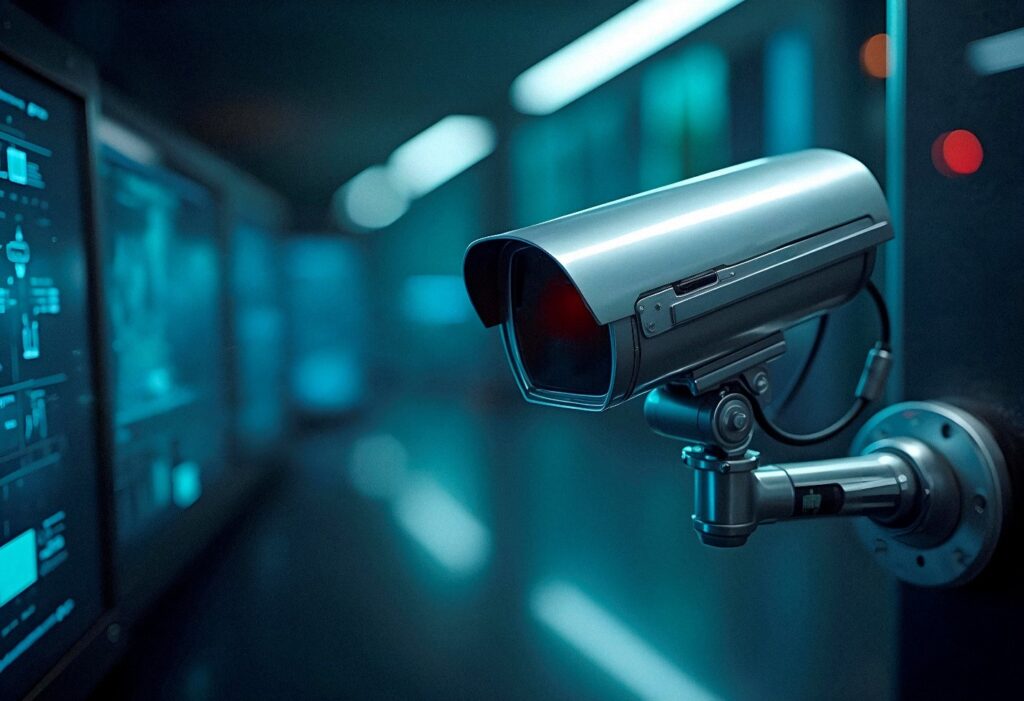
CCTV stands for Closed-Circuit Television. Unlike public broadcasting systems, CCTV transmits video signals to a limited set of monitors or storage devices. This creates a secure and controlled surveillance environment.
Modern CCTV systems typically include:
Surveillance cameras
DVR (Digital Video Recorder) or NVR (Network Video Recorder)
Storage devices (HDD or cloud storage)
Monitoring screens
Remote viewing software or mobile apps
There are two primary types of systems:
Analog CCTV
Uses coaxial cables and DVR systems. Suitable for smaller setups but limited in scalability.
IP CCTV (Internet Protocol)
Uses network cables and NVR systems. Provides higher resolution, remote access, and advanced analytics.
Cameras capture video footage and transmit it to recording devices. Businesses can monitor footage in real-time or review recorded clips when needed. Many modern systems support:
Motion detection alerts
Night vision
AI-based object recognition
Remote cloud access
CCTV has evolved from a passive recording tool into an intelligent business security solution.
What Are the Benefits of CCTV for Businesses?
The benefits of CCTV for businessesinclude crime prevention, improved employee productivity, enhanced workplace safety, real-time monitoring, legal protection, cost savings, customer security, and better operational control.
Let’s explore these benefits in depth.
1. Crime Prevention and Theft Deterrence
One of the most significant benefits of CCTV is crime prevention. Visible surveillance cameras act as a psychological deterrent. Criminals are far less likely to target a business that has active monitoring.
CCTV helps prevent:
Shoplifting
Burglary
Internal theft
Vandalism
Unauthorized access
Internal theft can be just as damaging as external crime. Employees may engage in time theft, inventory manipulation, or unauthorized activities. Knowing that cameras are installed encourages ethical behavior and accountability.
Businesses with CCTV systems often report reduced theft-related losses. The presence of cameras alone can dramatically lower security risks.
2. Improved Employee Productivity and Accountability
CCTV systems not only protect against crime—they also improve workplace discipline.
When employees know they are being monitored professionally and ethically, they tend to:
Follow company policies
Maintain punctuality
Focus on assigned tasks
Reduce unnecessary downtime
Managers can also use footage to analyze workflow patterns and identify inefficiencies. For example:
Are staff members handling customers properly?
Are warehouse workers following safety procedures?
Are employees adhering to operational guidelines?
This promotes a culture of accountability without requiring constant physical supervision.
3. Enhanced Workplace Safety
Safety is a major concern for businesses, especially in industrial or high-risk environments. CCTV systems help monitor hazardous areas and ensure safety compliance.
Examples include:
Monitoring machinery operations
Observing warehouse loading zones
Tracking restricted access areas
Ensuring compliance with safety protocols
In case of accidents, recorded footage provides accurate documentation. This can:
Clarify what happened
Prevent false claims
Support insurance processes
Improve safety policies
CCTV contributes to creating a safer working environment for everyone.
4. Real-Time Remote Monitoring
Modern IP CCTV systems allow business owners and managers to monitor their premises from anywhere.
Using secure mobile apps or web dashboards, you can:
View live feeds
Access recorded footage
Receive motion alerts
Monitor multiple branches
For multi-location businesses, this is especially valuable. Owners can supervise operations across different cities without being physically present.
Remote monitoring increases control and peace of mind.
5. Evidence Collection and Legal Protection
In case of disputes, CCTV footage serves as reliable evidence.
It can help in:
Legal disputes
Employee misconduct cases
Customer complaints
Insurance claims
Theft investigations
Having video proof protects businesses from false accusations. It also speeds up investigations and reduces legal risks.
Insurance companies may even favor businesses with surveillance systems because they reduce risk exposure.
6. Reduced Security Costs
While CCTV requires an upfront investment, it often reduces long-term security expenses.
Compared to hiring multiple security guards, surveillance systems:
Provide 24/7 monitoring
Require minimal manpower
Operate continuously
Cover large areas
CCTV does not replace human security entirely but enhances efficiency. A smaller security team can monitor multiple cameras simultaneously.
This results in better resource allocation and lower recurring costs.
7. Improved Customer and Visitor Safety
Customers feel safer in monitored environments. Retail stores, banks, hotels, and offices benefit from increased customer confidence.
CCTV helps:
Monitor entry and exit points
Prevent harassment
Control crowd behavior
Enhance parking lot security
A secure environment strengthens brand reputation and customer trust.
Retail businesses can adjust staffing schedules based on traffic patterns. Warehouses can optimize logistics workflows.
Modern AI-powered cameras even provide:
Heat mapping
People counting
Behavior analytics
These insights support smarter business decisions.
Industry-Specific Benefits of CCTV
Retail Businesses
Prevent shoplifting
Monitor POS transactions
Track customer behavior
Corporate Offices
Protect intellectual property
Monitor access control areas
Enhance employee security
Warehouses & Logistics
Monitor inventory
Secure loading docks
Prevent cargo theft
Healthcare Facilities
Ensure patient safety
Monitor restricted areas
Prevent unauthorized access
Educational Institutions
Protect students and staff
Monitor campus activities
Enhance emergency response
CCTV systems can be customized based on industry needs.
ROI of CCTV Systems | The Benefits of CCTV for Businesses
Return on investment (ROI) is one of the strongest arguments for CCTV installation.
Consider this example:
If a retail store loses $1,000 monthly due to shoplifting, annual losses reach $12,000. A properly installed CCTV system costing $5,000 can significantly reduce theft, paying for itself within months.
Additional ROI factors include:
Reduced insurance premiums
Lower theft losses
Fewer legal disputes
Improved productivity
CCTV is not an expense—it is a strategic investment.
Legal and Privacy Considerations
Businesses must follow ethical and legal guidelines.
Best practices include:
Informing employees about surveillance
Installing visible signage
Avoiding private areas (restrooms, locker rooms)
Securing stored footage
Following local data protection laws
Responsible usage builds trust and compliance.
How to Choose the Right CCTV System for Your Business
To maximize benefits:
Assess security risks
Identify coverage areas
Choose camera types (dome, bullet, PTZ)
Determine storage requirements
Consider remote access features
Integrate with alarm or access control systems
Professional consultation ensures proper planning and installation.
CCTV enhances security, reduces crime, improves productivity, strengthens legal protection, and provides valuable operational insights. It offers long-term cost savings and scalable protection for businesses of all sizes.
In a world where security and efficiency define success, CCTV is no longer optional—it is essential infrastructure.
How to Improve Business Network Security: In the digital age, network security is no longer optional—it is a core part of business strategy. From small startups to multinational corporations, cyber threats are constantly evolving, targeting sensitive data, financial information, and critical operational systems. A single breach can result in financial loss, operational downtime, legal complications, and irreparable reputational damage.
Businesses today face a wide range of risks: ransomware attacks, phishing attempts, malware infections, insider threats, and vulnerabilities in Wi-Fi networks. Protecting digital assets is not just a technical requirement—it’s a business imperative. But the question remains: How can businesses realistically improve their network security?
Improving network security involves more than installing antivirus software. It requires a holistic approach that combines technology, policy, employee awareness, and proactive monitoring. This guide outlines actionable strategies and best practices that businesses of all sizes can implement to secure their networks effectively and sustainably.
By following these steps, companies can protect sensitive information, maintain regulatory compliance, safeguard customer trust, and ensure uninterrupted operations—transforming security from a reactive measure into a strategic business advantage.
What Is Business Network Security?
Business network security refers to the processes, technologies, and policies that protect an organization’s digital infrastructure from unauthorized access, data breaches, and cyber attacks. It covers everything from internal servers and employee devices to cloud services and network hardware.
At its core, network security ensures three key principles—confidentiality, integrity, and availability (CIA triad). Confidentiality protects sensitive information from unauthorized access. Integrity guarantees that data remains accurate and untampered. Availability ensures that systems and data are accessible to authorized users when needed.
A strong business network security framework integrates hardware solutions like firewalls, routers, and secure Wi-Fi access points with software solutions such as antivirus programs, endpoint protection, encryption, and monitoring systems. Policies and procedures complement technology by defining who can access what, how data is handled, and how employees respond to potential threats.
Without robust network security, businesses risk financial losses, operational disruptions, and severe reputational damage. Cyber attacks can happen to any organization, regardless of size, industry, or location. Implementing a comprehensive network security strategy is no longer a technical concern for IT departments alone—it is a strategic decision with direct implications for business continuity and competitive advantage.
Why Business Network Security Is Critical
The digital transformation of business operations has increased efficiency but also created new vulnerabilities. Every online transaction, cloud storage solution, email exchange, and network-connected device is a potential entry point for cybercriminals.
The impact of network security failures can be catastrophic. For instance, ransomware attacks can encrypt critical business data, demanding a hefty ransom for release. Insider threats—whether malicious or accidental—can compromise sensitive customer or employee data. Regulatory violations due to inadequate security can result in fines and legal penalties.
A strong network security posture directly influences customer trust. Clients and partners are more likely to engage with organizations that demonstrate responsibility for protecting their data. Moreover, investors often assess cybersecurity practices as part of their risk evaluation.
Beyond preventing immediate losses, robust security contributes to long-term operational stability. Businesses with effective network protection experience fewer disruptions, reduce downtime, and maintain continuous service delivery. In essence, investing in network security safeguards not only data but also the company’s brand, reputation, and bottom line.
How to Improve Business Network Security
Improving network security is a multi-faceted process, combining technology, policy, and employee awareness. The following strategies are practical, realistic, and actionable.
1. Install a Business-Grade Firewall
Firewalls act as the first line of defense against cyber threats. Unlike consumer-grade firewalls, business-grade solutions provide advanced threat detection, application-level filtering, and intrusion prevention.
Next-generation firewalls (NGFWs) can identify suspicious traffic, prevent unauthorized access, and integrate threat intelligence updates automatically. Proper configuration is essential: unused ports should be closed, default passwords changed, and firmware kept up to date.
A well-implemented firewall significantly reduces the risk of unauthorized access, malware infiltration, and targeted cyber attacks. It provides a controlled environment where business networks can operate safely and securely.
2. Implement Strong Access Control Policies
Not all employees require the same level of access. Role-based access control (RBAC) ensures that users have only the permissions necessary to perform their duties.
This principle of least privilege minimizes exposure to sensitive systems. For example, HR data should be accessible only to HR personnel, while financial records remain limited to accounting staff. Regular access reviews and monitoring help prevent privilege creep and insider threats.
Strong access control policies combined with monitoring alerts ensure that any suspicious login activity is promptly investigated, maintaining both security and operational accountability.
3. Enable Multi-Factor Authentication (MFA)
Passwords alone are often insufficient protection. Multi-factor authentication (MFA) adds an additional verification layer, requiring users to provide two or more forms of identification before access is granted.
Typical MFA methods include time-based one-time passwords (TOTP), SMS codes, authentication apps, or biometric verification. By implementing MFA on critical systems—such as email, VPNs, and cloud dashboards—businesses can prevent unauthorized access even if passwords are compromised.
MFA is a cost-effective, proven method for significantly reducing cyber risk and is now considered a standard practice for modern businesses.
4. Encrypt Sensitive Data
Encryption transforms readable data into a coded format, accessible only to authorized users with decryption keys.
Businesses must encrypt:
Data at rest: stored in databases or file servers
Data in transit: emails, file transfers, and online communications
SSL/TLS certificates secure communications over networks, while database encryption ensures that even if storage is breached, sensitive data remains protected. Encryption is not only a security measure but also a requirement for many regulatory frameworks, ensuring compliance and reducing liability.
5. Keep Systems Updated
Outdated software and hardware create vulnerabilities easily exploited by attackers.
A disciplined patch management process ensures that:
Operating systems are current
Firmware is up to date
Applications receive regular updates
Security vulnerabilities are promptly addressed
Automating updates where possible reduces the risk of human oversight and maintains a strong security posture across all devices and systems.
6. Deploy Network Monitoring Tools
Continuous monitoring provides early detection of suspicious activity, preventing small incidents from escalating.
Tools include:
Intrusion Detection Systems (IDS)
Intrusion Prevention Systems (IPS)
Security Information and Event Management (SIEM) platforms
Monitoring allows IT teams to track unusual network traffic, detect malware, and respond proactively. Combining monitoring with automated alerts ensures that potential threats are addressed in real-time.
7. Secure Office Wi-Fi Networks
Unsecured Wi-Fi networks are a common vulnerability. Businesses must:
Every connected device is a potential threat vector. Endpoint protection solutions secure laptops, desktops, and mobile devices.
Features include:
Antivirus and anti-malware
Device management
Remote wipe capability
Real-time threat detection
With endpoint protection, businesses reduce the likelihood of a compromised device affecting the broader network.
9. Conduct Regular Security Audits
Audits identify weaknesses before attackers exploit them.
A comprehensive audit includes:
Vulnerability scans
Penetration testing
Risk assessment
Policy review
Proactive auditing strengthens security strategy, ensuring systems remain robust against emerging threats.
10. Train Employees
Human error accounts for a majority of breaches.
Cybersecurity training teaches staff to:
Identify phishing attempts
Follow password best practices
Navigate safely online
Report suspicious activity
An informed workforce acts as the first line of defense, complementing technological solutions.
Layered Security Approach
Security is most effective when applied in layers:
Firewalls for perimeter defense
Access control for internal protection
Encryption for data security
Endpoint protection for devices
Monitoring for threat detection
If one layer is breached, others continue protecting critical systems.
Benefits of Improved Network Security
Investing in network security provides tangible business benefits:
Prevents data breaches and financial loss
Maintains customer trust
Ensures regulatory compliance
Supports operational continuity
Reduces risk exposure
Effective network security is not just technical—it’s a business growth enabler.
Conclusion
Improving business network security requires a holistic approach that combines technology, policy, and human awareness. By implementing firewalls, multi-factor authentication, encryption, endpoint protection, monitoring, and ongoing employee training, businesses can proactively defend against cyber threats, maintain continuity, and protect both their data and reputation.
Cybersecurity is an ongoing process, not a one-time project. Treating it as a strategic priority ensures long-term resilience and competitive advantage.
Introduction: The Importance of Networking Solutions for Enterprises
Top Business Networking Solutions for Enterprises: In the modern business world, networking infrastructure is the backbone of enterprise operations. For Hong Kong enterprises, where speed, reliability, and security are critical, choosing the right business networking solutions can significantly influence productivity, operational efficiency, and overall business growth. A well-designed network not only supports daily activities such as file sharing, communication, and collaboration but also ensures seamless connectivity across multiple offices, remote workers, and cloud-based services.
Enterprises in Hong Kong face unique challenges. Dense urban environments, high-rise office buildings, and strict data privacy laws like the Personal Data (Privacy) Ordinance (PDPO) demand networking solutions that are robust, scalable, and compliant. Outdated networks can lead to slow performance, downtime, and security vulnerabilities, directly impacting business reputation and revenue.
This guide explores the top business networking solutions for enterprises, highlighting wired, wireless, and cloud-based options. We’ll also discuss enterprise-grade vendors, security considerations, future trends, and strategies to select the right solution tailored for Hong Kong businesses. By the end, enterprise IT leaders and decision-makers will have the insight needed to implement a reliable, secure, and future-ready network.
Understanding Enterprise Networking
Enterprise networking is the practice of interconnecting multiple devices, applications, and systems to facilitate efficient communication, collaboration, and data sharing within an organization. Unlike small business networks, enterprise networks are more complex, often spanning multiple locations and requiring higher levels of redundancy, security, and performance.
Key components of enterprise networks include:
Local Area Networks (LANs): High-speed connectivity within office premises.
Wide Area Networks (WANs): Connecting multiple office locations securely.
Wireless Networks: Enterprise-grade Wi-Fi for employees and guests.
Virtual Private Networks (VPNs): Secure remote access for employees working from home or on the go.
Cloud Connectivity: Integrating cloud applications and services with on-premise infrastructure.
For Hong Kong enterprises, the primary goal is to maintain high-speed, reliable, and secure connectivity that supports business-critical applications while remaining flexible enough to adapt to growth and evolving technology trends.
Key Networking Challenges for Enterprises
Enterprise networks in Hong Kong face unique challenges due to dense urban infrastructure, high device density, and stringent data privacy requirements. Some of the most common challenges include:
Scalability: As businesses expand, their networks must handle increasing traffic, devices, and locations without performance degradation.
Security Threats: Cyberattacks, phishing, ransomware, and insider threats are increasingly common. Enterprises must protect sensitive customer and business data.
Network Reliability: Downtime can result in lost revenue, reduced productivity, and reputational damage. Enterprises require networks with redundancy and failover mechanisms.
Complex Management: Managing multiple devices, locations, and users is challenging without proper monitoring and management tools.
Regulatory Compliance: Enterprises must comply with Hong Kong’s PDPO and industry-specific regulations, ensuring data privacy and secure information handling.
Understanding these challenges is crucial when selecting the appropriate networking solutions that align with business goals, compliance needs, and operational requirements.
Types of Business Networking Solutions
Enterprises have several networking solution options to address their unique needs. Each type has distinct advantages and is suitable for different business scenarios:
Wired LAN Solutions: Provide high-speed, low-latency connections ideal for office desktops, servers, and conference rooms. They are reliable and less prone to interference.
Wireless Networking Solutions: Modern Wi-Fi solutions, such as Wi-Fi 6 or mesh networks, allow employees to connect mobile devices seamlessly, supporting hybrid work models.
Wide Area Networks (WANs): Securely link multiple branch offices across Hong Kong or international locations, ensuring consistent connectivity.
Virtual Private Networks (VPNs): Enable secure remote access for employees and business partners.
Cloud Networking Solutions: Software-defined WANs (SD-WAN), cloud-managed networks, and hybrid approaches improve flexibility, scalability, and monitoring capabilities.
The choice of solution depends on factors like office size, number of users, network traffic, and specific business requirements.
Top Enterprise Networking Solutions
Several leading vendors provide enterprise-grade networking solutions trusted by organizations worldwide:
Cisco Enterprise Solutions: Known for robust switches, routers, wireless access points, and security appliances. Ideal for scalable and secure enterprise networks.
Juniper Networks: High-performance routing and cloud networking solutions suitable for large-scale deployments.
Fortinet Networking: Security-focused solutions, including firewalls, SD-WAN, and unified threat management.
Emerging Vendors: Innovative solutions tailored for hybrid cloud deployments, edge computing, and AI-driven network management.
Hong Kong enterprises can choose vendors based on performance, reliability, support services, and compatibility with existing IT infrastructure.
Choosing the Right Networking Solution for Your Enterprise
Selecting the optimal networking solution requires careful consideration of multiple factors:
Company Size: Networks must support current and future users efficiently.
Traffic Volume: High-volume data transfer needs may require enterprise-grade switches and WAN optimization.
Security and Compliance: Evaluate firewalls, VPNs, encryption, and regulatory compliance features.
Integration Needs: Ensure the network integrates smoothly with existing software, cloud applications, and IoT devices.
Cost vs Performance: Balance initial investment, recurring costs, and long-term ROI.
Professional consultation with certified IT providers ensures the solution is tailored to Hong Kong enterprises’ operational and compliance requirements.
Enterprise Network Security Solutions
Security is a top priority for enterprise networks. Effective measures include:
Firewalls and IDS/IPS: Protect against external and internal threats.
VPN Security: Ensures encrypted remote access for employees.
Zero Trust Models: Enforce strict verification of every device or user accessing the network.
Continuous Monitoring: Proactively identify and mitigate network threats.
Data Compliance Measures: Align with Hong Kong’s PDPO and other industry standards.
Investing in robust security solutions reduces the risk of data breaches, downtime, and regulatory penalties.
Cloud Networking vs Traditional On-Premise Networking
Cloud-managed networking is gaining traction due to its flexibility, scalability, and cost-effectiveness. Enterprises benefit from:
Centralized management of network devices via cloud dashboards.
Rapid deployment and simplified maintenance.
Integration with cloud applications and remote workforce support.
Traditional on-premise networks offer:
Full control over hardware and sensitive data.
Predictable long-term costs once infrastructure is purchased.
High customization for specific business workflows.
Many enterprises adopt a hybrid approach, combining cloud flexibility with on-premise control to optimize performance and security.
Network Monitoring and Management Tools
Monitoring and managing enterprise networks ensures consistent performance and security:
Network Performance Monitoring (NPM): Identifies bottlenecks and ensures high uptime.
Configuration Management Tools: Automate firmware updates and device configuration.
AI-driven Analytics: Predicts network issues and optimizes traffic dynamically.
Proactive vs Reactive Management: Proactive monitoring reduces downtime and operational disruption.
Proper network management ensures business continuity, improves productivity, and reduces operational costs.
Future Trends in Enterprise Networking
Hong Kong enterprises should prepare for evolving trends:
5G Integration: High-speed mobile networks supporting IoT and remote operations.
AI-Driven Networking: Automation and predictive maintenance using artificial intelligence.
Edge Computing: Processing data closer to the source for lower latency.
Software-Defined Networking (SDN): Enhances flexibility and simplifies network management.
IoT Integration: Connecting smart devices securely across the enterprise network.
Adopting future-ready solutions ensures Hong Kong enterprises remain competitive and agile.
ROI and Benefits of Investing in Enterprise Networking
Investing in top business networking solutions delivers tangible benefits:
Improved productivity through faster and more reliable connections.
Enhanced collaboration and communication across departments and locations.
Greater security and compliance adherence.
Cost savings through centralized management and reduced downtime.
Scalability to accommodate growth and technological advancements.
A strategic networking investment positions enterprises for long-term success in Hong Kong’s competitive business environment.
Frequently Asked Questions (FAQ)
What is the best networking solution for large enterprises?
Depends on business size, security needs, traffic volume, and budget. Hybrid solutions often balance flexibility and control.
How can enterprises ensure network security in Hong Kong?
Use firewalls, IDS/IPS, VPNs, zero-trust models, and continuous monitoring aligned with PDPO compliance.
Should enterprises choose wired, wireless, or hybrid networks?
Hybrid networks provide the best combination of speed, reliability, and flexibility for modern enterprises.
How do cloud networking solutions benefit large businesses?
Centralized management, remote access, scalability, rapid deployment, and reduced IT maintenance costs.
What are the common mistakes when implementing enterprise networks?
Underestimating traffic loads, neglecting security, ignoring scalability, and failing to integrate with existing IT systems.
Conclusion: Top Business Networking Solutions for Enterprises
Modern enterprises in Hong Kong require robust, scalable, and secure networking solutions to support business operations and growth. Wired, wireless, cloud, and hybrid networking options provide flexibility to meet different business needs. Investing in top business networking solutions ensures reliable connectivity, enhanced security, regulatory compliance, and long-term cost savings. By carefully assessing requirements, consulting IT professionals, and selecting future-ready solutions, Hong Kong enterprises can optimize network performance, support remote and hybrid teams, and maintain a competitive edge.
Introduction: Understanding Managed IT Services Pricing in Hong Kong
Managed IT Services Pricing in Hong Kong: As Hong Kong continues to position itself as a leading global business hub, companies across all industries are becoming increasingly dependent on reliable, secure, and scalable IT infrastructure. From cloud computing and cybersecurity to remote work enablement and compliance, technology is now at the core of business operations. However, managing IT internally is becoming more complex, costly, and resource-intensive. This is where managed IT services come in.
One of the most common questions businesses ask is: What is the real cost of Managed IT Services Pricing in Hong Kong? Understanding managed IT services pricing in Hong Kong is essential for making informed budgeting decisions and choosing the right IT partner.
Managed IT services pricing varies widely depending on business size, service scope, security requirements, and support expectations. Many organizations struggle to compare pricing models or understand what they are actually paying for. Without clarity, businesses risk overpaying for unnecessary services or underinvesting in critical IT protection.
This guide is designed to provide a transparent, practical, and business-focused explanation of managed IT services pricing in Hong Kong. It covers pricing models, cost factors, average price ranges, hidden costs, ROI, and how to choose the right managed service provider (MSP). Whether you are a small business, a growing SME, or an enterprise organization, this guide will help you evaluate managed IT services with confidence.
What Are Managed IT Services?
Managed IT services refer to the outsourcing of IT operations, support, and infrastructure management to a third-party service provider, commonly known as a Managed Service Provider (MSP). Instead of maintaining a full in-house IT team, businesses rely on an MSP to proactively manage, monitor, and support their IT environment.
In Hong Kong, managed IT services are widely used by companies that want predictable IT costs, improved cybersecurity, and access to specialized technical expertise. Managed services typically operate under a monthly subscription model, offering businesses ongoing support rather than reactive, break-fix assistance.
Unlike traditional IT support, managed IT services are proactive. MSPs continuously monitor systems, apply updates, manage backups, and address issues before they cause downtime. This approach reduces operational disruptions and improves overall system reliability.
Core Managed IT Services Explained
Most managed IT service providers in Hong Kong offer a combination of the following services:
IT Helpdesk and End-User Support: Day-to-day technical support for employees, including hardware, software, and connectivity issues.
Network Monitoring and Management: Continuous monitoring of networks, firewalls, switches, and Wi-Fi infrastructure.
Server and Infrastructure Management: Management of on-premise servers, cloud servers, and hybrid environments.
Cloud and Backup Solutions: Cloud migration, Microsoft 365 management, backup, and disaster recovery.
These services form the foundation of most managed IT services packages in Hong Kong.
Why Varies Managed IT Services Pricing in Hong Kong
Managed IT services pricing in Hong Kong is influenced by a unique combination of economic, technical, and regulatory factors. Unlike standardized products, managed IT services are customized to each business environment, which makes pricing highly variable.
One of the primary reasons pricing varies is labor cost. Hong Kong has a highly skilled IT workforce, and experienced engineers command premium salaries. MSPs invest heavily in certifications, training, and cybersecurity expertise, which is reflected in service pricing.
Another factor is service expectation. Hong Kong businesses often require fast response times, high availability, and strict security controls. These expectations increase operational costs for MSPs, especially when offering 24/7 support or guaranteed Service Level Agreements (SLAs).
Regulatory compliance also plays a role. Businesses must comply with the Personal Data (Privacy) Ordinance (PDPO), industry-specific regulations, and cybersecurity best practices. Managed IT services that include compliance support, documentation, and audits typically cost more.
Finally, infrastructure complexity significantly affects pricing. Businesses operating hybrid or multi-cloud environments require more advanced management, monitoring, and security, which increases overall service cost.
Common Managed IT Services Pricing Models
Understanding pricing models is essential when evaluating managed IT services pricing in Hong Kong. MSPs typically use one or more of the following models.
Per-User Pricing Model
The per-user pricing model charges a fixed monthly fee for each employee supported. This model is popular among businesses with predictable staffing levels.
Per-user pricing typically includes helpdesk support, endpoint management, cybersecurity tools, and cloud productivity support. In Hong Kong, per-user pricing offers simplicity and predictable monthly costs.
Pros:
Easy to budget
Scales with workforce size
Encourages comprehensive support
Cons:
May not reflect device complexity
Can be costly for businesses with many users but minimal IT needs
Per-Device Pricing Model
In the per-device pricing model, businesses are charged based on the number and type of devices managed, such as desktops, laptops, servers, firewalls, and network equipment.
This model works well for organizations with many shared devices or specialized infrastructure. Pricing varies depending on device type and criticality.
Pros:
Transparent device-based pricing
Suitable for infrastructure-heavy environments
Cons:
Less predictable for growing businesses
User support may be charged separately
All-Inclusive Flat-Rate Pricing
Flat-rate pricing offers a comprehensive, all-inclusive managed IT services package for a fixed monthly fee. This model is increasingly popular among Hong Kong SMEs seeking cost predictability.
All-inclusive plans typically cover helpdesk support, monitoring, cybersecurity, backups, and system maintenance.
Pros:
No surprise costs
Ideal for budgeting
Encourages proactive IT management
Cons:
Higher upfront cost
May include services not immediately needed
Tiered Service Packages
Tiered pricing offers multiple service levels, such as Basic, Standard, and Premium. Each tier includes different service scopes, response times, and security features.
This model allows businesses to choose a package aligned with their risk tolerance and budget.
Average Managed IT Services Pricing in Hong Kong
While exact pricing varies, the following ranges provide a general benchmark for managed IT services pricing in Hong Kong:
Per-User Pricing: HKD 800 – HKD 2,000 per user per month
Per-Device Pricing:
Workstations: HKD 300 – HKD 800 per device
Servers: HKD 1,500 – HKD 4,000 per server
All-Inclusive Packages: HKD 10,000 – HKD 50,000+ per month for SMEs
Lower-priced services often provide limited support and minimal cybersecurity. Premium services include advanced security, compliance support, and guaranteed response times.
Key Factors That Affect Managed IT Services Pricing in Hong Kong
Number of Users and Devices
The size of your workforce directly impacts pricing. More users mean more support requests, endpoints, and security exposure. Businesses with multiple devices per user will see higher costs.
Scope of Services Included
Basic support packages are less expensive, while full IT management—including cybersecurity, backups, and compliance—commands higher pricing.
Cybersecurity and Compliance Requirements
Security-focused services significantly affect pricing. Advanced endpoint protection, SOC monitoring, and compliance reporting add value but increase cost.
Cloud and Infrastructure Complexity
Hybrid and multi-cloud environments require specialized skills and tools, increasing service pricing.
Support Coverage and Response Time
24/7 support and strict SLAs are more expensive than business-hours support but are essential for mission-critical operations.
What Is Included in a Managed IT Services Contract?
A typical managed IT services contract in Hong Kong includes:
Defined scope of services
Response time SLAs
Monitoring and maintenance responsibilities
Security management
Backup and disaster recovery terms
Reporting and review schedules
Understanding contract details is essential to avoid unexpected costs.
Hidden Costs to Watch Out For (Managed IT Services Pricing in Hong Kong)
Some MSPs charge additional fees for:
Onboarding and setup
Hardware and software licensing
Out-of-scope projects
Emergency support
Contract termination
Transparency is critical when evaluating managed IT services pricing in Hong Kong.
Managed IT Services vs In-House IT: Cost Comparison
Hiring in-house IT staff involves salaries, benefits, training, and turnover costs. In contrast, managed IT services provide access to a full team of specialists at a predictable cost.
For most SMEs in Hong Kong, managed IT services are more cost-effective and scalable than maintaining an internal IT department.
ROI of Managed IT Services for Hong Kong Businesses
The return on investment of managed IT services includes:
Reduced downtime
Improved cybersecurity
Predictable IT spending
Increased employee productivity
Faster problem resolution
These benefits often outweigh the monthly service cost.
How to Choose the Right Managed IT Service Provider in Hong Kong
When selecting an MSP, consider:
Local experience and industry knowledge
Certifications and security expertise
Pricing transparency
Service flexibility
Proven track record
A reliable MSP acts as a long-term technology partner, not just a vendor.
Frequently Asked Questions (Managed IT Services Pricing in Hong Kong)
How much do managed IT services cost in Hong Kong? Costs typically range from HKD 800 to HKD 2,000 per user per month, depending on service scope and security needs.
Are managed IT services worth it for small businesses? Yes. Managed IT services provide enterprise-grade support and security at a predictable cost.
What pricing model is best for SMEs? All-inclusive flat-rate pricing is often the best option for SMEs seeking cost predictability.
Do managed IT services include cybersecurity? Most modern managed IT services include endpoint protection, patching, and basic security monitoring.
Conclusion: Managed IT Services Pricing in Hong Kong
Understanding managed IT services pricing in Hong Kong is essential for businesses looking to optimize IT performance while controlling costs. Rather than focusing solely on price, businesses should evaluate value, security, reliability, and scalability.
A well-chosen managed IT service provider helps businesses reduce risk, improve efficiency, and support long-term growth. For Hong Kong organizations navigating an increasingly complex digital landscape, managed IT services are not just an expense—they are a strategic investment.
Introduction: Why IT Support and Maintenance Is Critical for SMEs in Hong Kong
IT Support and Maintenance for SMEs in Hong Kong: In today’s digital-first business environment, small and medium-sized enterprises (SMEs) in Hong Kong are increasingly dependent on IT infrastructure to drive their day-to-day operations. From cloud-based collaboration platforms and customer management systems to secure networks and cybersecurity measures, technology has become the backbone of business productivity. However, many SMEs struggle to maintain their IT systems efficiently due to limited budgets, insufficient in-house expertise, and growing cybersecurity threats.
IT downtime, whether caused by server crashes, network failures, or software issues, can have significant financial and operational consequences. Even short periods of system unavailability can result in missed opportunities, decreased employee productivity, and reputational damage. This makes professional IT support and maintenance for SMEs in Hong Kong not just a convenience, but a necessity.
Outsourcing IT support and maintenance allows businesses to focus on their core operations while experts manage technology systems. A structured IT support strategy ensures that issues are addressed proactively, security risks are minimized, and critical systems remain operational at all times. Additionally, professional IT maintenance helps SMEs comply with local regulations, including the Personal Data (Privacy) Ordinance (PDPO), ensuring that sensitive customer and employee data is handled securely.
This guide provides a comprehensive overview of IT support and maintenance for SMEs in Hong Kong, covering the types of services available, common challenges, pricing models, cybersecurity considerations, and how to select the right IT partner. By following this guide, SME decision-makers can make informed decisions, optimize IT costs, and secure business growth.
What Is IT Support and Maintenance?
IT support and maintenance encompass a broad range of services aimed at keeping an organization’s IT infrastructure functioning smoothly. It includes proactive measures to prevent issues, reactive support to address problems, and ongoing maintenance to ensure system reliability, security, and performance.
For SMEs, IT support is critical because it allows businesses to outsource the complexity of managing technology to professionals, ensuring minimal disruption to operations. Unlike larger enterprises, SMEs often lack dedicated IT departments, making external support a cost-effective solution. Professional IT support typically includes helpdesk assistance, network monitoring, software and hardware management, cybersecurity services, and cloud platform support.
Reactive vs Proactive IT Support
Reactive IT support focuses on resolving problems as they occur. While this approach may seem sufficient for occasional issues, it is not ideal for SMEs that rely heavily on technology. Reactive support can result in unpredictable costs, prolonged downtime, and disrupted workflows.
Proactive IT maintenance, on the other hand, involves continuous monitoring of systems, regular software updates, security patching, and preventive measures to detect and address potential problems before they affect business operations. This proactive approach minimizes downtime, reduces long-term costs, and enhances system performance, ensuring that SMEs in Hong Kong can operate efficiently without unexpected interruptions.
Core IT Support Services for SMEs
Professional IT support services for SMEs typically include the following:
IT Helpdesk and End-User Support: Providing both remote and on-site assistance for hardware and software issues. This includes troubleshooting desktops, laptops, printers, mobile devices, and collaboration software. Helpdesk support ensures employees can continue working efficiently without prolonged disruptions.
Network Support: Managing office networks, routers, Wi-Fi systems, and firewalls. Proper network support ensures fast, reliable, and secure connectivity, which is crucial for SMEs that rely on cloud services and online communications.
Email and Collaboration Tools Support: Ensuring seamless operation of business-critical platforms like Microsoft 365, Google Workspace, or other productivity tools. Support includes account configuration, troubleshooting, and system integration.
Hardware and Software Maintenance: Includes regular updates, patch management, asset tracking, and lifecycle management to prevent performance issues and extend equipment lifespan.
Security and Compliance Services: Proactive security monitoring, antivirus deployment, firewall configuration, and compliance support for Hong Kong regulations, particularly the PDPO, ensuring the organization’s sensitive data is protected and handled appropriately.
By leveraging these services, SMEs can maintain a reliable and secure IT environment, reduce downtime, and focus on core business growth rather than IT troubleshooting.
Common IT Challenges Faced by SMEs in Hong Kong
SMEs in Hong Kong face a variety of IT challenges that can impede their growth and operational efficiency. One primary challenge is the lack of in-house IT expertise. Many SMEs operate with small teams and cannot justify the cost of hiring full-time IT professionals. Without proper technical knowledge, even minor IT issues can escalate into significant operational problems.
Another common challenge is budget constraints. SMEs often operate with limited financial resources, making it difficult to invest in advanced IT infrastructure or hire skilled IT staff. This can result in outdated systems, slower response times, and insufficient cybersecurity measures.
Cybersecurity threats are also a growing concern. SMEs are increasingly targeted by cybercriminals because they often have weaker defenses compared to large enterprises. Phishing attacks, malware infections, and ransomware can result in data breaches, financial loss, and reputational damage.
Furthermore, downtime and system failures can severely impact productivity. SMEs may lose hours of work due to server crashes, network issues, or software failures. This can affect customer service, internal collaboration, and overall business performance.
Finally, regulatory compliance poses an additional challenge. Hong Kong businesses must comply with the PDPO and other industry-specific regulations. Failure to comply can result in penalties, legal issues, and loss of customer trust.
Addressing these challenges requires professional IT support and maintenance, which provides SMEs with expert guidance, proactive solutions, and scalable services tailored to their unique business needs.
Why SMEs in Hong Kong Need Professional IT Support and Maintenance
Professional IT support and maintenance services provide SMEs with a reliable, cost-effective way to manage technology. One of the primary benefits is business continuity. Continuous monitoring and preventive maintenance minimize downtime, ensuring critical systems remain operational.
Professional support also ensures faster issue resolution. Certified IT technicians can diagnose and fix problems quickly, reducing disruption to daily operations. This is particularly important in Hong Kong, where SMEs often compete in fast-moving markets and cannot afford prolonged system outages.
Another advantage is access to expertise. SMEs gain access to a team of IT professionals with specialized skills and certifications without incurring the cost of hiring full-time staff. This includes network management, cloud platform administration, cybersecurity, and compliance support.
Enhanced cybersecurity is a crucial benefit. IT support services include threat monitoring, vulnerability assessments, firewall management, and antivirus deployment, protecting SMEs from increasingly sophisticated cyber threats.
Finally, professional IT maintenance is scalable. As SMEs grow, IT support services can easily accommodate additional users, devices, and locations, ensuring that technology infrastructure grows alongside the business without unnecessary investment or disruption.
Key Benefits of IT Support and Maintenance for SMEs
Investing in professional IT support and maintenance brings numerous benefits to SMEs in Hong Kong, ranging from operational efficiency to cost savings and enhanced security.
Reduced Downtime and Improved Productivity
Downtime is one of the biggest productivity killers for SMEs. Even a short network or server outage can result in hours of lost work, missed client communications, and delayed project timelines. Professional IT support ensures continuous monitoring of systems, enabling early detection and resolution of issues before they escalate. Preventive maintenance, such as regular software updates, patch management, and hardware checks, significantly reduces the chances of system failures.
Proactive IT monitoring also minimizes interruptions in daily operations, ensuring employees remain productive. SMEs in sectors such as finance, retail, or logistics, where real-time operations are critical, benefit immensely from such uninterrupted service. Moreover, IT maintenance teams provide remote and on-site assistance, resolving issues quickly without significant downtime. This combination of proactive monitoring and responsive support allows SMEs to maintain smooth business operations, improve efficiency, and maintain competitiveness in Hong Kong’s fast-paced market.
Predictable IT Costs and Budget Control
Another significant benefit is predictable monthly IT expenses. Managed IT support services typically operate on a subscription or retainer model, where SMEs pay a fixed fee for a predefined set of services. This model helps businesses avoid unpredictable expenses associated with emergency repairs, hardware replacements, or unplanned IT consulting.
Predictable costs also simplify budget planning for SMEs. Rather than allocating funds reactively for sporadic IT crises, businesses can plan their IT budget with clarity, ensuring better financial management. Additionally, predictable IT spending allows SMEs to invest strategically in system upgrades, cybersecurity enhancements, or new technology initiatives, ultimately driving growth without compromising IT reliability.
Enhanced Cybersecurity and Data Protection
Cybersecurity is a growing concern for SMEs in Hong Kong, as small businesses are increasingly targeted due to limited security measures. Professional IT support includes advanced security solutions, such as endpoint protection, firewall monitoring, intrusion detection, and regular security audits.
IT maintenance teams ensure that all software and systems are updated and patched promptly, reducing vulnerabilities and minimizing the risk of cyberattacks. By implementing data backup protocols and disaster recovery plans, SMEs can safeguard critical business data and maintain operations even during unexpected incidents. Furthermore, compliance with Hong Kong’s PDPO and other regulatory requirements is facilitated through managed IT services, ensuring data protection and building customer trust.
Scalable IT Support for Growing SMEs
One of the challenges SMEs face is scaling their IT infrastructure as they grow. Professional IT support allows businesses to add new users, devices, or even branch locations seamlessly. Whether deploying new software, configuring additional hardware, or integrating cloud services, managed IT providers ensure that the expansion is smooth and cost-effective.
Scalability also means that SMEs do not have to hire additional full-time IT staff as their business grows, reducing operational costs while maintaining high levels of IT reliability. By having a flexible IT support structure, SMEs can focus on core business growth without worrying about the limitations of their technology infrastructure.
Compliance and Risk Management
IT support and maintenance teams help SMEs adhere to industry regulations and local laws, particularly Hong Kong’s Personal Data (Privacy) Ordinance (PDPO). Proper IT maintenance ensures secure storage of sensitive data, controlled access to systems, and accurate record-keeping for audits.
Proactive IT management reduces risks of data breaches, non-compliance penalties, and operational disruptions. SMEs can focus on growth with the confidence that IT-related risks are being managed effectively.
Types of IT Support Models for SMEs in Hong Kong
Choosing the right IT support model is critical for SMEs to balance cost, efficiency, and service quality. There are three main models commonly used in Hong Kong.
Break-Fix IT Support
Break-fix support is the traditional model where IT providers respond only when a problem arises. This approach can be suitable for businesses with minimal IT needs or limited budgets. However, relying solely on break-fix support has several disadvantages: prolonged downtime, unpredictable costs, and lack of proactive system management. SMEs in sectors like retail or finance may find break-fix inadequate because even minor downtime can lead to revenue loss and client dissatisfaction.
Managed IT Support Services
Managed IT services are increasingly popular among Hong Kong SMEs. This model provides a comprehensive, proactive approach to IT management. Businesses pay a fixed monthly fee for continuous monitoring, maintenance, and support. Managed services include network monitoring, cybersecurity, backup management, software updates, and helpdesk support.
The advantages of managed IT support include predictable budgeting, minimal downtime, rapid issue resolution, and access to specialized expertise. By outsourcing IT management to experienced providers, SMEs can focus on growth without worrying about technical challenges.
Hybrid IT Support
The hybrid IT model combines in-house IT staff with outsourced support from a managed service provider. This model is suitable for SMEs that want to maintain some control over internal systems while benefiting from professional expertise for complex or high-risk tasks. Hybrid support offers flexibility, scalability, and access to a broader skill set, making it ideal for SMEs preparing for rapid growth or managing specialized IT environments.
IT Support and Maintenance Services Included for SMEs
Comprehensive IT support services cover a wide range of functions designed to maintain business continuity, security, and operational efficiency.
Helpdesk Support: Provides remote and on-site assistance for hardware and software issues, ensuring employee productivity remains high.
Network Maintenance: Includes router, firewall, and Wi-Fi management for reliable and secure connectivity.
Server Management: Regular monitoring, patching, and backup of servers to prevent downtime and data loss.
Cloud Services Support: Administration of cloud-based tools such as Microsoft 365, Google Workspace, and cloud storage solutions.
Disaster Recovery: Implementation of data backup systems, recovery plans, and failover strategies to ensure business continuity during emergencies.
Cybersecurity Monitoring: Continuous monitoring for threats, malware, ransomware, and unauthorized access.
These services ensure that SMEs maintain robust IT infrastructure without the need for a large in-house IT team.
IT Support and Maintenance Pricing for SMEs in Hong Kong
Pricing is a key factor for SMEs when selecting IT support. Costs depend on the number of users, devices, service scope, and support level.
Per-User Pricing: HKD 800–2,000 per user per month, including basic support, monitoring, and security.
Per-Device Pricing: HKD 300–800 per workstation; HKD 1,500–4,000 per server.
All-Inclusive Packages: HKD 10,000–50,000+ per month for fully managed services covering end-to-end IT support.
Factors affecting pricing include business size, technology complexity, cybersecurity requirements, and contract length. Transparent pricing helps SMEs plan budgets effectively and ensures they receive value for money.
Cybersecurity Considerations for SME IT Support
Cybersecurity is a growing priority for SMEs, as cybercriminals increasingly target smaller businesses. Effective IT support ensures protection against threats such as ransomware, phishing, malware, and unauthorized access.
Managed IT services include endpoint security, firewall management, intrusion detection, and vulnerability assessments. Regular patching and system updates reduce weaknesses, while employee training on cybersecurity best practices enhances overall protection. Compliance with Hong Kong PDPO ensures that sensitive data is stored and processed securely.
Compliance, Data Privacy, and Regulatory Considerations
SMEs must comply with the Personal Data (Privacy) Ordinance (PDPO) and other industry-specific regulations. IT support providers help businesses:
Implement secure storage and access protocols for sensitive data.
Maintain audit trails for regulatory reporting.
Protect against unauthorized access, breaches, and accidental data loss.
Conduct periodic compliance reviews and staff training.
Proper IT support ensures legal compliance while building trust with customers and partners.
How to Choose the Right IT Support Provider for SMEs in Hong Kong
Key considerations when selecting an IT support partner include:
Local Experience: Providers familiar with Hong Kong regulations and business culture.
Certifications: Microsoft, Cisco, CompTIA, and cybersecurity certifications demonstrate expertise.
Response Time: SLAs guaranteeing rapid resolution of issues.
Pricing Transparency: Clear cost structure with no hidden fees.
Proactive Support: Ability to prevent problems rather than just reacting to them.
A strong IT partner aligns with business goals, enabling SMEs to scale confidently.
Common Mistakes SMEs Make with IT Support
Relying solely on reactive support.
Prioritizing price over quality.
Underestimating cybersecurity risks.
Failing to plan for scalability.
Avoiding these mistakes ensures IT infrastructure supports business growth efficiently.
ROI of IT Support and Maintenance
Investing in IT support and maintenance offers measurable benefits:
Reduced downtime and lost revenue.
Improved employee productivity and workflow efficiency.
Enhanced cybersecurity and compliance.
Scalable IT infrastructure without the cost of full-time staff.
For SMEs in Hong Kong, professional IT support is a strategic investment, not just a cost.
Future Trends in IT Support for SMEs
AI-Driven IT Support: Automated monitoring, predictive maintenance, and issue resolution.
Cloud-First Environments: Greater reliance on SaaS tools and remote access.
Security-Focused Models: Proactive cybersecurity integrated into all IT services.
Staying ahead of trends ensures SMEs remain competitive and resilient.
Conclusion: Building a Reliable IT Foundation for SMEs in Hong Kong
In today’s fast-paced digital environment, IT support and maintenance for SMEs in Hong Kong is no longer optional—it is essential for business success. With technology forming the backbone of daily operations, SMEs cannot afford downtime, security breaches, or inefficient systems. Professional IT support provides a proactive and structured approach, ensuring that networks, servers, cloud platforms, and end-user devices operate smoothly and securely.
By partnering with a reliable IT provider, SMEs can benefit from reduced downtime, predictable IT costs, enhanced cybersecurity, and scalable solutions that grow with the business. Whether you choose a managed IT service, hybrid model, or a combination of in-house and outsourced support, the key is to prioritize proactive maintenance and expert guidance. This ensures operational continuity, protects sensitive data, and allows business owners to focus on growth rather than troubleshooting technology issues.
Furthermore, compliance with Hong Kong’s Personal Data (Privacy) Ordinance (PDPO) and industry regulations is easier to achieve with professional IT management. A well-maintained IT infrastructure not only mitigates risk but also builds trust with clients, partners, and employees.
In conclusion, investing in comprehensive IT support and maintenance is a strategic decision for SMEs in Hong Kong. It empowers businesses to operate efficiently, secure their data, scale operations confidently, and stay competitive in an increasingly technology-driven market. Choosing the right IT partner today can save your business time, money, and resources while positioning it for long-term success.
Introduction: Understanding IT Deployment Options in Hong Kong
Cloud vs On-Premise Solutions for Hong Kong Businesses: For businesses in Hong Kong, selecting the right IT infrastructure is crucial to remain competitive, secure, and efficient. As digital transformation accelerates, organizations are faced with two primary IT deployment strategies: cloud-based solutions and on-premise solutions. Each offers unique advantages, costs, and challenges, making the decision far from straightforward.
SMEs and large enterprises alike must consider factors such as budget, scalability, compliance, cybersecurity, and long-term operational efficiency. Hong Kong’s fast-paced business environment, coupled with strict data protection requirements under the Personal Data (Privacy) Ordinance (PDPO), means that companies must choose carefully to avoid downtime, data breaches, and unnecessary expenses.
This guide provides a comprehensive comparison of cloud and on-premise solutions, highlighting the benefits, drawbacks, cost implications, and deployment strategies. By the end, Hong Kong business owners will have the insights needed to make an informed IT decision that aligns with their operational needs and growth plans.
What Are Cloud Solutions?
Cloud computing allows businesses to host applications, data, and infrastructure on remote servers, accessible via the internet. Cloud solutions are delivered in three primary models:
SaaS (Software as a Service): Cloud-hosted applications, such as Microsoft 365 or Google Workspace, accessible from anywhere.
PaaS (Platform as a Service): Platforms that allow developers to build, test, and deploy applications without managing the underlying infrastructure.
IaaS (Infrastructure as a Service): Complete virtualized infrastructure, including servers, storage, and networking resources, managed by cloud providers.
For Hong Kong businesses, the advantages of cloud solutions include:
Scalability: Easily adjust computing resources to match business growth or seasonal demand.
Cost-effectiveness: Pay-as-you-go subscription models reduce upfront capital expenditure.
Remote accessibility: Employees can access systems from anywhere, supporting hybrid or remote work setups.
Automatic updates: Providers manage software updates and patches, reducing the burden on internal IT teams.
Disaster recovery: Cloud solutions often include backup and recovery capabilities to ensure business continuity.
Cloud adoption in Hong Kong is particularly relevant for SMEs looking for affordable IT solutions that scale as the business grows. Industries like finance, retail, and logistics can benefit from rapid deployment, flexible access, and enhanced collaboration tools.
What Are On-Premise Solutions?
On-premise solutions refer to IT infrastructure hosted physically within a company’s premises. This typically includes servers, storage devices, networking hardware, and software licenses, all managed internally.
Advantages for Hong Kong Businesses:
Control: Complete authority over data, hardware, and software configurations.
Security: On-premise setups can be highly secure, as businesses can implement internal protocols without depending on third-party providers.
Customization: IT teams can tailor hardware and software to the organization’s exact needs.
Compliance: Industries dealing with sensitive customer data, such as finance and healthcare, can maintain tighter control to comply with PDPO and industry standards.
While on-premise solutions offer these advantages, they also involve higher upfront costs, ongoing maintenance, and the need for dedicated IT staff. For SMEs in Hong Kong, this approach may be more suitable for businesses that require full control over their IT infrastructure or operate in highly regulated industries.
Key Differences Between Cloud and On-Premise Solutions
Feature
Cloud
On-Premise
Cost
Subscription-based, lower upfront cost
High upfront investment in hardware/software
Scalability
Easily scalable
Limited by physical infrastructure
Maintenance
Managed by provider
Managed internally
Security & Compliance
Shared responsibility, provider ensures standard security
Full control over security, can tailor to regulations
Accessibility
Access from anywhere, remote work friendly
Usually office-based access
Updates & Upgrades
Automatic updates by provider
Managed internally, may require downtime
Understanding these differences helps Hong Kong businesses choose a solution aligned with their operational needs, budget, and risk tolerance.
Advantages of Cloud Solutions for Hong Kong Businesses
Flexibility and Remote Access: Cloud solutions allow employees to access applications and data from anywhere, crucial for Hong Kong businesses supporting hybrid work models.
Reduced IT Maintenance Burden: The cloud provider handles server updates, patches, and infrastructure monitoring. SMEs can focus on core business functions instead of IT troubleshooting.
Cost Savings: Eliminates the need for expensive hardware investments, with predictable subscription costs.
Rapid Deployment: Cloud systems can be implemented quickly, allowing businesses to start using applications without lengthy installation processes.
Disaster Recovery: Cloud backup solutions ensure business continuity in case of hardware failure or data loss.
Advantages of On-Premise Solutions for Hong Kong Businesses
Full Control: Businesses have complete authority over hardware, software, and data management.
Enhanced Security: Sensitive business data stays on-site, which may be preferable for regulated industries.
Customization: IT teams can customize configurations to specific business workflows.
Reduced Dependency on Internet Connectivity: On-premise systems can continue operations even during internet outages.
Predictable Long-Term Costs: Once hardware and software are purchased, ongoing costs may be lower than long-term cloud subscriptions.
Common Challenges and Risks
Cloud Challenges:
Data privacy concerns due to third-party storage
Vendor lock-in risks if migrating later
Recurring subscription costs
Dependency on reliable internet connectivity
On-Premise Challenges:
High upfront hardware and software costs
Scalability limitations
Maintenance and IT staff requirements
Risk of physical hardware failure
Both solutions require cybersecurity considerations. For Hong Kong businesses, compliance with PDPO and securing sensitive customer or business data is critical.
Cost Analysis: Cloud vs On-Premise
Cloud: Lower upfront cost, predictable monthly subscriptions, less IT staff required.
On-Premise: High upfront investment, ongoing maintenance costs, IT personnel salaries.
Hybrid Consideration: Some businesses use a hybrid model to optimize costs while keeping critical data on-premise.
SMEs should perform a Total Cost of Ownership (TCO) analysis over 3–5 years to determine the most cost-effective option.
Factors Hong Kong Businesses Should Consider
Business size and growth projections
Regulatory and compliance needs
Availability of internal IT staff
Data security requirements
Integration with existing systems
Budget and cost predictability
Hybrid Solutions: The Best of Both Worlds
Hybrid models combine cloud and on-premise solutions, offering:
Flexibility for scalable workloads
Enhanced security for sensitive data
Cost optimization for non-critical applications
This approach is ideal for SMEs in Hong Kong that want control over critical data but also need scalable, cloud-based applications for collaboration.
How to Choose the Right IT Deployment Strategy
Assess business goals and growth plans
Identify regulatory requirements and data sensitivity
Evaluate current IT infrastructure and staff expertise
Compare long-term costs and ROI
Consult with professional IT service providers for deployment guidance
Future Trends in IT Deployment for Hong Kong Businesses
AI-driven cloud management and automation
Increased adoption of hybrid and edge computing
Enhanced security and compliance integration in cloud services
Greater use of cloud collaboration tools for remote teams
Frequently Asked Questions (FAQ)
What is the difference between cloud and on-premise solutions? Cloud solutions are hosted remotely, while on-premise solutions are maintained on-site. Cloud offers flexibility and lower upfront costs; on-premise provides control and security.
Which solution is more cost-effective for SMEs in Hong Kong? Cloud is usually more cost-effective for SMEs due to lower upfront costs and predictable subscriptions. On-premise may suit larger or highly regulated businesses.
Is cloud computing secure for Hong Kong businesses? Yes, with proper configurations, encryption, and compliance checks, cloud platforms are secure. Businesses must follow PDPO and cybersecurity best practices.
Can businesses switch from on-premise to cloud later? Yes, many businesses adopt hybrid strategies initially, allowing gradual migration to cloud as business needs evolve.
Are hybrid solutions suitable for SMEs? Yes, hybrid solutions provide the flexibility of cloud while retaining control of critical on-premise data, ideal for growth-oriented SMEs.
Conclusion: Cloud vs On-Premise Solutions for Hong Kong Businesses:
Choosing between cloud and on-premise solutions is a strategic decision for Hong Kong businesses. Cloud solutions offer flexibility, scalability, and lower upfront costs, ideal for SMEs seeking remote accessibility and reduced IT maintenance. On-premise solutions provide control, security, and customization, making them suitable for regulated industries or businesses with existing IT staff.
Hybrid deployment offers the best of both worlds, balancing flexibility, security, and cost-effectiveness. By assessing business size, compliance requirements, cost, and growth plans, Hong Kong businesses can implement an IT strategy that maximizes efficiency, protects sensitive data, and supports future expansion. Professional IT guidance ensures smooth deployment, ongoing maintenance, and long-term success.
Introduction: The Importance of AV and Video Conferencing in Hong Kong
AV and Video Conferencing Solutions: In today’s fast-paced business environment, effective communication is critical to the success of enterprises in Hong Kong. The city’s dense urban infrastructure, multinational business presence, and competitive market require companies to adopt robust audio-visual (AV) and video conferencing solutions. These systems enable teams to collaborate seamlessly, hold virtual meetings, and connect with clients worldwide without the constraints of physical distance.
Audio-visual and video conferencing technology is no longer a luxury but a strategic necessity. Businesses, whether SMEs or large enterprises, need solutions that offer high-quality audio and video, reliability, scalability, and ease of use. From boardroom meetings and training sessions to virtual conferences and client presentations, AV solutions are central to enhancing productivity, reducing travel costs, and improving decision-making speed.
Hong Kong enterprises face unique challenges. Congested office environments, network constraints, and regulatory requirements such as the Personal Data (Privacy) Ordinance (PDPO) demand solutions that are both secure and flexible. Investing in the right AV and video conferencing infrastructure ensures that businesses remain competitive while maintaining compliance and operational efficiency. This guide explores the top AV and video conferencing solutions, features, deployment strategies, and future trends for Hong Kong businesses.
Understanding AV and Video Conferencing Solutions
AV and video conferencing solutions combine hardware and software to facilitate real-time communication. Core AV components include cameras, microphones, speakers, displays, and control units. These components work together to deliver immersive audio and visual experiences during meetings, presentations, and events.
Video conferencing solutions fall into three primary categories:
Software-based solutions: Applications like Zoom, Microsoft Teams, or Webex that operate on existing devices, providing flexibility and remote access.
Hardware-based solutions: Dedicated devices such as conference cameras, integrated microphones, and control panels designed for high-quality meetings.
Cloud-managed systems: Platforms that combine hardware and software with centralized cloud management, offering scalability, monitoring, and automatic updates.
Integration of AV with video conferencing ensures seamless collaboration across multiple locations, enhancing meeting quality, reducing communication gaps, and enabling interactive presentations. For Hong Kong enterprises, these solutions are vital for connecting teams in multiple offices, supporting hybrid work, and hosting client meetings globally.
Benefits of AV and Video Conferencing for Hong Kong Businesses
Implementing AV and video conferencing solutions provides numerous advantages for enterprises:
Enhanced Collaboration: Teams can collaborate in real-time across offices in Hong Kong and globally, reducing delays in decision-making.
Improved Productivity: Immediate communication and the ability to share documents, presentations, and screens streamline workflows.
Hybrid Work Support: Remote and hybrid employees can participate in meetings without compromising quality or efficiency.
Professional Presentation: AV solutions enhance client presentations, webinars, and internal communications with high-quality visuals and audio.
For businesses operating in Hong Kong’s competitive landscape, these benefits are particularly significant. High-quality AV systems create a professional impression during client meetings, while efficient video conferencing tools enable faster project execution and stronger team alignment.
Key Features to Look for in AV and Video Conferencing Solutions
When selecting AV and video conferencing solutions, enterprises should focus on features that ensure reliability, scalability, and user-friendliness:
High-definition audio and video: Crystal-clear visuals and sound reduce miscommunication.
User-friendly interface: Intuitive controls and minimal learning curves encourage adoption across teams.
Software integration: Seamless connection with Microsoft Teams, Zoom, Google Meet, or other collaboration platforms.
Scalability: Ability to handle small meetings as well as large boardrooms or auditoriums.
Security features: End-to-end encryption, secure meeting access, and compliance with Hong Kong PDPO standards.
Remote management: Cloud-enabled solutions allow IT teams to monitor and manage devices from anywhere.
Selecting a solution with these features ensures optimal performance, reduces operational disruptions, and supports long-term business growth.
Top AV and Video Conferencing Solutions for Enterprises
Several providers deliver enterprise-grade AV and video conferencing solutions suitable for Hong Kong businesses:
Cisco Webex & TelePresence: Offers integrated hardware and software solutions with enterprise-grade security, scalability, and cloud support.
Zoom Rooms: Flexible software solution that pairs with high-quality AV equipment for small to large meeting rooms.
Microsoft Teams Rooms: Integrates cloud collaboration, scheduling, and AV hardware for seamless remote and hybrid meetings.
Polycom/Poly Solutions: Hardware-centric solutions focusing on superior audio and video quality for large boardrooms.
Crestron and Extron: Advanced AV control systems allowing centralized management, automation, and integration with multiple conferencing platforms.
These solutions cater to different enterprise needs, whether prioritizing high-quality boardroom experiences, hybrid remote collaboration, or scalable meeting solutions.
Choosing the Right Solution for Your Business
Choosing the appropriate AV and video conferencing solution depends on several factors:
Company Size: Larger enterprises may require multiple conference rooms equipped with high-end AV systems.
Number of Meeting Rooms: Ensures coverage for all collaboration spaces.
Budget vs Performance: Balance cost with audio/video quality, reliability, and support.
Integration Requirements: Compatibility with existing IT and collaboration platforms is critical.
Ease of Installation and Maintenance: Professional installation reduces downtime and ensures optimal setup.
Evaluating these factors helps Hong Kong enterprises select solutions that maximize efficiency, minimize downtime, and provide a high return on investment.
Installation and Deployment Best Practices
Proper deployment ensures AV and video conferencing systems deliver their intended benefits:
Meeting Room Layout Planning: Optimize camera angles, microphone placement, and display visibility.
Professional Installation: Certified technicians ensure reliable setup, calibration, and integration.
Testing: Verify audio/video quality, network bandwidth, and software functionality.
Maintenance: Regular firmware updates, hardware checks, and user training ensure long-term reliability.
Adhering to these best practices reduces operational issues, enhances user experience, and extends the lifespan of AV systems.
Security and Compliance Considerations
Security is a top priority, especially for Hong Kong enterprises handling sensitive data:
End-to-End Encryption: Protects meetings from unauthorized access.
User Authentication: Controls who can join meetings and access sensitive data.
Role-Based Permissions: Ensures proper access levels for different users.
Compliance: Align with Hong Kong’s PDPO regulations and industry-specific security standards.
Regular Audits: Monitor for vulnerabilities and ensure continuous compliance.
By implementing these security measures, enterprises safeguard data while maintaining seamless collaboration.
AV and Video Conferencing for Remote and Hybrid Work
Hybrid work models require reliable AV solutions to maintain productivity and engagement:
Collaboration Across Locations: Enables teams in multiple offices or remote locations to interact in real-time.
Cloud Integration: Connects AV hardware with cloud meeting platforms for flexible access.
Network Optimization: Ensure sufficient bandwidth and low latency for video calls.
Case Studies: Examples of Hong Kong enterprises adopting AV solutions for seamless hybrid operations.
Properly implemented AV systems empower employees to collaborate efficiently regardless of their physical location.
Future Trends in AV and Video Conferencing
Emerging technologies are shaping the future of enterprise communication:
AI-Powered Cameras: Auto-tracking and speaker recognition enhance meeting experiences.
Immersive Technologies: AR, VR, and holographic presentations for interactive meetings.
Cloud Adoption: Increased use of cloud-based conferencing for flexibility and scalability.
Collaboration Analytics: Track engagement, attendance, and meeting effectiveness for better decision-making.
Hong Kong enterprises embracing these trends stay competitive and improve communication effectiveness.
ROI and Benefits of Investing in AV and Video Conferencing Solutions
Investing in AV solutions delivers tangible business benefits:
Cost Savings: Reduced travel expenses and improved operational efficiency.
Increased Productivity: Faster decision-making through real-time collaboration.
Enhanced Communication: Better team engagement, client interactions, and presentations.
Scalability: Solutions grow with business needs.
Competitive Advantage: Professional-grade AV and conferencing enhance brand reputation.
A strategic investment ensures long-term operational benefits and measurable ROI for Hong Kong enterprises.
Frequently Asked Questions (FAQ)
What is the best AV solution for small and large Hong Kong offices?
Hybrid solutions combining software and hardware offer flexibility and scalability for all business sizes.
Can video conferencing solutions integrate with existing IT systems?
Yes, most enterprise solutions integrate with platforms like Microsoft Teams, Zoom, or Google Workspace.
How much does a typical enterprise AV setup cost?
Costs vary by hardware quality, number of rooms, and integration complexity. Small setups may start around HK$20,000, while full-scale boardroom solutions exceed HK$100,000 or more.
Are cloud-based video conferencing solutions secure in Hong Kong?
Yes, with proper encryption, user authentication, and PDPO compliance.
Can AV systems support hybrid and remote work models effectively?
Absolutely. Modern AV systems, combined with cloud conferencing platforms, enable seamless remote collaboration.
Conclusion
AV and video conferencing solutions are essential for modern enterprises in Hong Kong. They improve collaboration, productivity, and client engagement while reducing travel costs. By selecting high-quality, secure, and scalable solutions, businesses can support hybrid work models, enhance meeting experiences, and maintain compliance with regulatory requirements. Investing strategically in AV and video conferencing infrastructure ensures that Hong Kong enterprises remain competitive, efficient, and future-ready in an increasingly digital business landscape.
Introduction: Why Business Security Matters More Than Ever in Hong Kong
Business CCTV & Access Control Installation Guide: In today’s fast-paced and highly competitive business environment, security has become a critical priority for organizations of all sizes. In Hong Kong, where offices, retail outlets, warehouses, and commercial buildings operate in dense urban settings, businesses face unique security challenges. From unauthorized access and internal theft to vandalism and compliance requirements, companies must take a proactive approach to protecting their people, assets, and data.
This Business CCTV & Access Control Installation Guide is designed to help Hong Kong businesses understand how modern security systems work, why they are essential, and how to plan and implement them effectively. CCTV and access control systems are no longer just about surveillance; they are integrated security solutions that improve operational visibility, accountability, and risk management.
For many businesses, poor planning or low-quality installation leads to blind spots, unreliable footage, and security gaps that can be costly in the long run. A professionally designed and installed system ensures proper coverage, legal compliance, scalability, and long-term reliability. This is especially important in Hong Kong, where data privacy regulations, building management rules, and space constraints must all be carefully considered.
This guide is written for business owners, IT managers, facility managers, and decision-makers who want a clear, practical, and professional understanding of CCTV and access control installation. Whether you operate a single office or manage multiple sites across Hong Kong, this guide will help you make informed decisions and build a secure, compliant, and future-ready business environment.
Understanding Business CCTV Systems
A business CCTV system is a professional-grade video surveillance solution designed specifically for commercial environments. Unlike residential CCTV systems, business CCTV focuses on continuous operation, higher image quality, wider coverage, centralized management, and long-term data retention. These systems are built to support daily operations, incident investigation, and compliance requirements.
In Hong Kong, businesses commonly use CCTV to monitor entrances and exits, office floors, warehouses, loading bays, parking areas, and restricted zones. A well-designed system not only records video footage but also acts as a strong deterrent against theft, unauthorized access, and misconduct. Employees and visitors are more likely to follow rules when they know monitoring is in place.
Modern business CCTV systems typically use IP (Internet Protocol) cameras, which offer high-resolution video, remote access, and integration with other IT systems. Features such as night vision, motion detection, and AI-powered analytics allow businesses to detect unusual behavior and respond quickly to incidents. This is particularly useful in high-traffic commercial areas and logistics environments.
Another key aspect of business CCTV is scalability. As companies grow or move to larger premises, their surveillance system must be able to expand without requiring a complete replacement. Professional installation ensures that network infrastructure, storage capacity, and camera placement are planned with future growth in mind.
For Hong Kong businesses, environmental factors such as lighting conditions, building layout, and space limitations must also be considered. A properly implemented CCTV system provides clear, reliable footage while complying with local privacy regulations and building management guidelines.
What Is a Business Access Control System?
A business access control system is a security solution that regulates who can enter specific areas of a building and at what times. Instead of relying on traditional keys, access control systems use digital credentials such as key cards, PIN codes, biometric data, or mobile devices. This allows businesses to manage access rights centrally and update them instantly when roles or staffing change.
In a commercial environment, access control is essential for protecting sensitive areas such as server rooms, finance departments, storage areas, and executive offices. In Hong Kong, where many offices operate in shared or multi-tenant buildings, access control also helps prevent unauthorized entry and ensures tenant security.
One of the biggest advantages of access control systems is accountability. Every access attempt is logged, creating a clear audit trail that shows who entered which area and when. This is invaluable for internal investigations, compliance audits, and security reviews. It also supports better employee management by reducing tailgating and misuse of access privileges.
Modern access control systems can be cloud-based or on-premise, depending on business needs. Cloud-based systems are particularly popular among Hong Kong businesses with multiple locations, as they allow centralized management through a web or mobile interface. Integration with HR systems and attendance tracking tools further enhances operational efficiency.
A professionally installed access control system ensures reliability, fail-safe operation, and compliance with safety regulations. Emergency exit handling, power backup, and system redundancy are all critical components that must be considered during installation.
Why Businesses Should Integrate CCTV and Access Control Systems
While CCTV and access control systems are powerful on their own, their true value is realized when they are integrated into a unified security solution. Integration allows businesses to correlate access events with video footage, providing a complete and accurate picture of security incidents.
For example, when an access card is used to enter a restricted area, the system can automatically trigger nearby cameras to record high-resolution footage. This makes it easy to verify whether access was authorized and whether proper procedures were followed. In Hong Kong’s compliance-driven business environment, this level of visibility is extremely valuable.
Integrated systems also improve response times during incidents. Security teams can receive real-time alerts when unauthorized access attempts occur and immediately review associated video footage. This reduces investigation time and helps prevent escalation.
From an operational perspective, integration simplifies security management. Instead of managing multiple platforms, businesses can use a single dashboard to monitor cameras, access logs, and alerts. This is especially beneficial for IT-managed service providers and facility managers overseeing multiple sites.
Integration also supports future expansion. As businesses adopt smart office technologies, integrated security systems can connect with alarms, fire systems, and building management systems. This creates a safer, more intelligent workplace while maximizing return on investment.
Business CCTV Installation Guide: Planning and Deployment
Successful CCTV installation begins with proper planning. A professional site survey is essential to understand the layout, risks, and operational needs of the business. In Hong Kong, where office layouts vary widely and space is often limited, careful planning prevents coverage gaps and unnecessary equipment costs.
Camera placement is one of the most critical aspects of installation. Key areas such as entrances, reception desks, corridors, and storage rooms must be covered without violating privacy rules. Outdoor cameras should be positioned to monitor perimeters and parking areas while accounting for lighting and weather conditions.
Choosing the right equipment is equally important. Businesses must consider camera resolution, field of view, night vision capability, and storage requirements. Network infrastructure and bandwidth planning ensure smooth video streaming and remote access without impacting business operations.
Professional installation also includes proper cabling, secure mounting, system configuration, and testing. Recording schedules, retention policies, and access permissions must be set according to business needs and legal requirements. A well-installed system delivers reliable performance and long-term value.
Business Access Control Installation Guide
Access control installation starts with defining security zones within the premises. Public areas, staff-only zones, and high-security areas must be clearly identified. In Hong Kong offices, this often includes shared spaces and emergency exits that require special consideration.
System selection depends on business size, risk level, and operational complexity. Small offices may require simple card-based systems, while larger enterprises benefit from biometric or mobile-based access control. Compatibility with existing IT infrastructure is a key factor.
Hardware installation includes door locks, readers, controllers, and power supplies. Professional installers ensure proper alignment, wiring, and fail-safe configuration. User management setup includes defining roles, permissions, and access schedules.
A properly installed access control system enhances security while remaining convenient for employees and visitors. Regular testing and updates ensure long-term reliability.
Legal, Privacy, and Compliance Considerations in Hong Kong
Hong Kong businesses must comply with the Personal Data (Privacy) Ordinance (PDPO) when using CCTV and access control systems. This includes proper data handling, storage, and disclosure practices. Clear signage and transparency are essential to inform employees and visitors about surveillance.
Data retention policies must balance security needs with privacy requirements. Access to recorded footage should be restricted and logged. Cybersecurity measures are also critical to protect sensitive data from breaches.
Professional service providers help businesses navigate these requirements and ensure full compliance.
Cost, ROI, and Long-Term Value of Business Security Systems
The cost of CCTV and access control installation varies based on system size, equipment quality, and installation complexity. However, the return on investment is significant. Reduced theft, lower insurance risk, improved productivity, and stronger compliance all contribute to long-term value.
Well-designed systems scale with business growth, avoiding costly replacements. For Hong Kong businesses, investing in professional security installation is a strategic decision that protects both assets and reputation.
Frequently Asked Questions (FAQ) – Business CCTV & Access Control
What is the best CCTV system for businesses in Hong Kong?
The best CCTV system depends on business size, layout, and risk level. Most Hong Kong businesses benefit from IP-based CCTV systems with high-resolution cameras, remote access, and scalable storage.
Is CCTV legal in offices in Hong Kong?
Yes, CCTV is legal in Hong Kong, but businesses must comply with the Personal Data (Privacy) Ordinance (PDPO). This includes transparency, signage, and responsible data handling.
Do small businesses need access control systems?
Yes. Even small offices benefit from access control by preventing unauthorized access, improving accountability, and simplifying employee management.
Can CCTV and access control systems be integrated?
Yes. Integration allows access events to trigger video recording, improving incident investigation and overall security management.
How much does business CCTV installation cost in Hong Kong?
Costs vary based on system size, camera type, storage, and installation complexity. Professional assessment is required for accurate pricing.
Conclusion: Building a Secure Business Environment in Hong Kong
A well-planned and professionally installed CCTV and access control system is essential for modern businesses in Hong Kong. By following thisBusiness CCTV & Access Control Installation Guide, companies can create a secure, compliant, and future-ready workplace.
Choosing the right technology, integration strategy, and service provider ensures long-term success and peace of mind. For businesses that value security, compliance, and operational efficiency, investing in professional security solutions is no longer optional—it is essential.