What Are Cloud Services and Why They Matter for Businesses

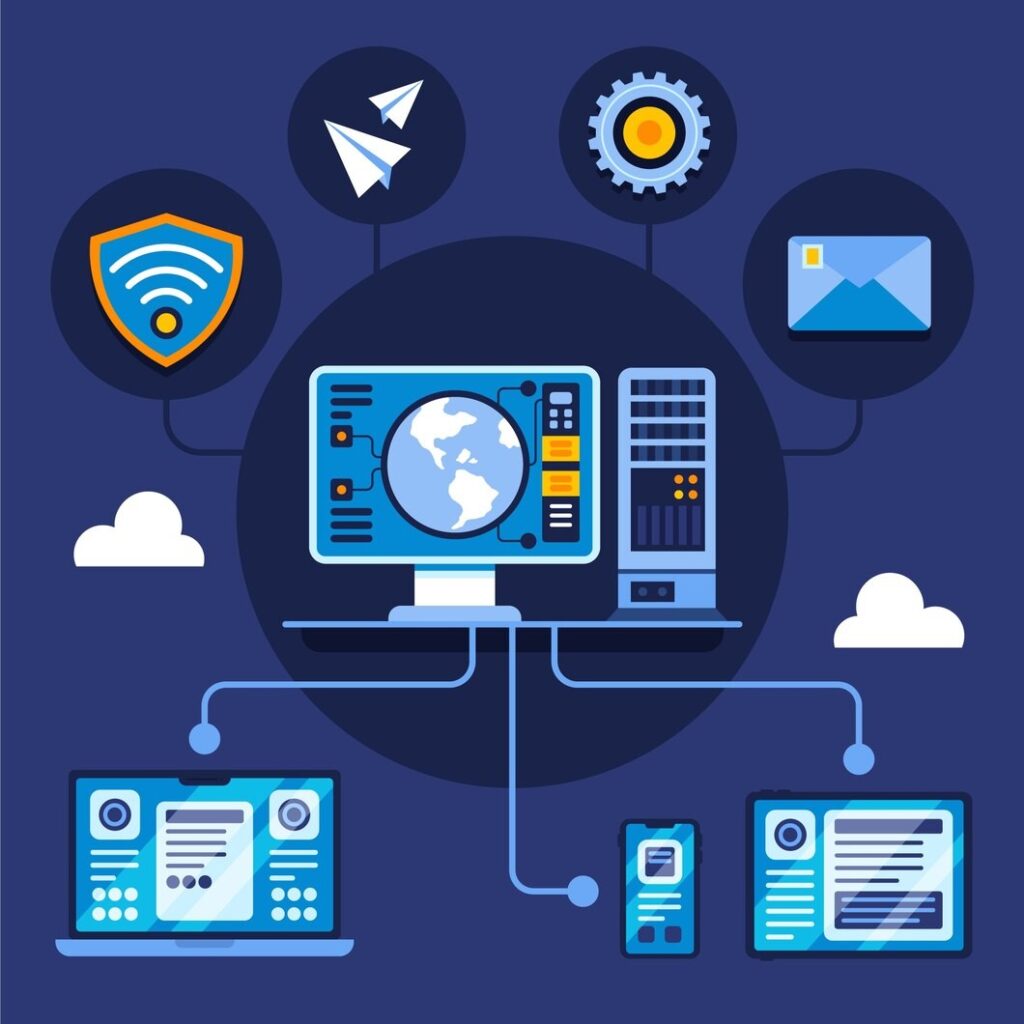
Cloud services refer to the delivery of computing resources—such as storage, servers, databases, networking, and software—over the internet. Instead of relying on traditional on-premise infrastructure, businesses can access these resources on-demand through cloud platforms. This model eliminates the need for heavy upfront investments in hardware while offering flexibility and scalability.

Cloud computing is generally categorized into three main types: Infrastructure as a Service (IaaS), Platform as a Service (PaaS), and Software as a Service (SaaS). IaaS provides virtualized computing resources, PaaS offers development platforms for building applications, and SaaS delivers software applications over the internet. Each model serves different business needs, allowing organizations to choose solutions that align with their operational requirements.

For modern businesses, cloud services are no longer optional—they are essential. They enable faster deployment of applications, improve collaboration across teams, and support remote work environments. In a dynamic market like Hong Kong, where speed and efficiency are critical, cloud services provide a competitive advantage by allowing businesses to adapt quickly to changing demands.

Moreover, cloud platforms offer built-in redundancy and high availability, ensuring that systems remain operational even during unexpected disruptions. This level of reliability is difficult to achieve with traditional infrastructure, making cloud adoption a strategic move for businesses aiming for long-term growth and resilience.

Why Hong Kong Companies Are Rapidly Adopting Cloud Solutions

Why Hong Kong Companies Are Rapidly Adopting Cloud Solutions

Hong Kong’s business landscape is highly competitive and technology-driven. Companies are under constant pressure to innovate, reduce costs, and deliver seamless customer experiences. Cloud solutions play a key role in meeting these demands by enabling digital transformation across industries.

One of the primary drivers of cloud adoption in Hong Kong is the shift towards remote and hybrid work models. Businesses require secure and reliable systems that allow employees to access data and applications from anywhere. Cloud platforms make this possible by providing centralized access with robust security controls.

Cost efficiency is another significant factor. Maintaining on-premise infrastructure involves high capital expenditure, ongoing maintenance costs, and the need for dedicated IT staff. Cloud services operate on a pay-as-you-go model, allowing businesses to scale resources based on demand and avoid unnecessary expenses.

Additionally, Hong Kong companies face increasing cybersecurity threats. Cloud providers invest heavily in advanced security technologies, offering a level of protection that is often beyond the reach of individual organizations. This makes cloud solutions an attractive option for businesses looking to enhance their security posture.

The need for scalability also drives cloud adoption. As businesses grow, their IT requirements change. Cloud services allow organizations to expand or reduce resources instantly, ensuring that they only pay for what they use while maintaining optimal performance.

Key Benefits of Cloud Services for Hong Kong Companies

Cloud services offer a wide range of benefits that significantly improve business operations. One of the most important advantages is scalability. Businesses can easily adjust their resources based on demand, ensuring optimal performance without over-investing in infrastructure.

Cost savings are another major benefit. By eliminating the need for physical hardware and reducing maintenance costs, cloud services allow businesses to allocate resources more efficiently. This is particularly beneficial for SMEs operating within tight budgets.

Cloud platforms also enhance collaboration and productivity. Employees can access files and applications in real time, regardless of their location. This improves communication and enables teams to work more efficiently, especially in remote or hybrid environments.

Remote accessibility is a key feature of cloud services. With secure access to systems from any location, businesses can maintain continuity even during disruptions. This flexibility is essential in today’s fast-paced business environment.

Automatic updates and maintenance further simplify IT management. Cloud providers handle system updates, security patches, and infrastructure maintenance, allowing businesses to focus on their core operations.

Understanding Data Security in Cloud Environments
Understanding Data Security in Cloud Environments

Data security is a critical aspect of cloud computing. While cloud services offer numerous advantages, they also introduce new security challenges that businesses must address. Understanding how cloud security works is essential for protecting sensitive information.

Cloud data security involves protecting data from unauthorized access, breaches, and loss. This includes measures such as encryption, access control, and continuous monitoring. One important concept is the shared responsibility model, where both the cloud provider and the business share responsibility for security. The provider secures the infrastructure, while the business is responsible for securing its data and applications.

Common security risks in cloud environments include misconfigured settings, weak access controls, and lack of monitoring. These vulnerabilities can lead to data breaches if not properly managed. Therefore, businesses must implement strong security practices to ensure that their cloud environments remain secure.

Major Cloud Security Challenges for Hong Kong Businesses

Despite the benefits, cloud adoption comes with challenges that businesses in Hong Kong must carefully manage. One of the most significant risks is data breaches. Cybercriminals are constantly targeting cloud environments, making it essential for businesses to implement robust security measures.

Misconfigured cloud settings are another common issue. Incorrect configurations can expose sensitive data to the public, leading to serious security incidents. This highlights the importance of proper setup and ongoing monitoring.

Compliance with data privacy regulations is also a major concern. Businesses in Hong Kong must adhere to local and international regulations when handling sensitive information. Failure to comply can result in legal penalties and reputational damage.

Insider threats and human errors further increase security risks. Employees may unintentionally expose data through weak passwords or improper handling of information. Addressing these risks requires both technical solutions and employee training.

Best Practices for Cloud Security in Hong Kong

To ensure a secure cloud environment, businesses must adopt a comprehensive security strategy. One of the most important practices is implementing strong access control and identity management. This includes using multi-factor authentication and limiting access based on roles.

Data encryption is another essential measure. Encrypting data both at rest and in transit ensures that even if data is intercepted, it cannot be accessed without authorization. This significantly reduces the risk of data breaches.

Regular security audits and continuous monitoring are critical for identifying vulnerabilities and responding to threats. Businesses should conduct periodic assessments to ensure that their systems remain secure.

Backup and disaster recovery planning is also vital. Automated backups ensure that data can be restored quickly in case of an incident, minimizing downtime and data loss.

Employee awareness and training play a key role in security. Educating staff about best practices and potential threats helps reduce the risk of human error, which is often the weakest link in security.

Cloud Platforms Popular in Hong Kong

Several cloud platforms are widely used by businesses in Hong Kong, each offering unique features and capabilities. Microsoft Azure is known for its strong integration with enterprise systems and robust security features. It is a popular choice for businesses already using Microsoft products.

Amazon Web Services (AWS) is one of the most comprehensive cloud platforms, offering a wide range of services and global infrastructure. It is ideal for businesses that require flexibility and scalability.

Google Cloud Platform is recognized for its advanced data analytics and machine learning capabilities. It is particularly suitable for businesses focused on data-driven decision-making.

Choosing the right platform depends on the specific needs of the business, including budget, scalability, and technical requirements.

How SpineNet Ensures Secure Cloud Solutions for Businesses

SpineNet provides end-to-end cloud solutions designed to meet the unique needs of Hong Kong businesses. With a strong focus on security and performance, SpineNet helps organizations implement and manage cloud infrastructure effectively.

The company offers comprehensive services, including cloud migration, infrastructure setup, and ongoing management. By adopting a security-first approach, SpineNet ensures that all systems are protected against potential threats.

Continuous monitoring and proactive support are key components of their service model. This ensures that issues are identified and resolved before they impact business operations.

SpineNet also helps businesses navigate compliance requirements, ensuring that their cloud environments meet regulatory standards. This combination of expertise and local knowledge makes SpineNet a reliable partner for cloud solutions.

How to Choose the Right Cloud and Security Provider in Hong Kong

Selecting the right provider is crucial for maximizing the benefits of cloud services. Businesses should evaluate the provider’s experience and certifications to ensure they have the necessary expertise.

Security capabilities should be a top priority. Providers should offer advanced security features, including monitoring, encryption, and threat detection.

Local support is also important. A provider with a presence in Hong Kong can offer faster response times and better understanding of local requirements.

Scalability and flexibility are essential for growing businesses. The provider should be able to adapt services based on changing needs.

Transparent pricing ensures that businesses can manage their budgets effectively without unexpected costs.

Common Mistakes Companies Make with Cloud and Security

Common Mistakes Companies Make with Cloud and Security

Many businesses make critical mistakes when adopting cloud services. One common issue is ignoring security configurations, which can leave systems vulnerable to attacks.

Weak password policies are another major risk. Without strong authentication measures, unauthorized access becomes more likely.

Lack of a backup strategy can lead to data loss in case of system failures or cyberattacks. Businesses must ensure that data is regularly backed up and easily recoverable.

Choosing providers based solely on cost is another mistake. While affordability is important, security and reliability should not be compromised.

FAQs About Cloud Services and Data Security in Hong Kong

Are cloud services secure for businesses?

Yes, cloud services can be highly secure when proper measures such as encryption, access control, and monitoring are implemented.

Which cloud platform is best for SMEs?

The best platform depends on business needs, but popular options include Azure, AWS, and Google Cloud.

How much do cloud services cost in Hong Kong?

Costs vary based on usage and services, with flexible pricing models available for SMEs.

What is the biggest cloud security risk?

Misconfigured settings and weak access controls are among the most common risks.

Conclusion: Building a Secure Cloud Strategy for Your Business

Cloud services have become a cornerstone of modern business operations in Hong Kong. They offer scalability, flexibility, and cost efficiency, enabling companies to remain competitive in a rapidly evolving market. However, without proper data security measures, the benefits of cloud computing can be overshadowed by risks.

By implementing best practices and partnering with a trusted provider like SpineNet, businesses can build a secure and scalable cloud infrastructure that supports long-term growth.

Investing in cloud services and data security is not just a technical decision—it is a strategic move that defines the future of your business.


Introduction: Why Video Conferencing Systems Matter for Modern Offices

How to Choose Video Conferencing Systems for Office: In today’s digital-first business environment, video conferencing has become a core communication tool rather than a supporting feature. Whether it is internal team meetings, client presentations, remote interviews, or global collaboration, businesses now depend heavily on reliable video conferencing systems to stay productive and competitive.

The shift toward hybrid and remote work has made this even more important. Companies are no longer limited by geography; teams can now work from different cities or even countries while staying connected in real time. However, this convenience depends entirely on the quality of the video conferencing system being used.

Modern offices require more than just basic video calling. They need high-quality audio, stable video performance, strong security, seamless integration with productivity tools, and scalability for future growth. Poor communication systems can lead to miscommunication, reduced productivity, and even financial loss due to inefficient collaboration.

Popular platforms like Zoom, Microsoft Teams, and Cisco Webex have set industry standards, but choosing the right system depends on your company size, workflow, and technical requirements.

This guide will help you understand everything you need to know before selecting a video conferencing system for your office, including features, hardware requirements, security considerations, and future trends.

Types of Video Conferencing Systems for Office Use

Choosing the right video conferencing system starts with understanding the different types available. Each type serves different business needs depending on scale, budget, and security requirements.

1. Cloud-Based Video Conferencing Systems

Cloud-based systems are the most widely used today. These platforms operate entirely online and do not require complex installations or dedicated servers.

Key Benefits:

  • Easy to set up and use
  • No heavy IT infrastructure required
  • Automatic updates and maintenance
  • Flexible for remote and hybrid teams

Cloud-based systems like Zoom and Google Meet allow employees to join meetings from anywhere using just a browser or app. This makes them ideal for startups, SMEs, and modern remote teams.

However, cloud systems depend heavily on internet quality. Poor connectivity can affect video and audio performance.

2. On-Premise Video Conferencing Systems

On-premise systems are installed directly on a company’s internal servers. These systems provide full control over data and communication infrastructure.

Key Benefits:

  • Higher data security and privacy
  • Full control over system configuration
  • Suitable for compliance-heavy industries

Large enterprises, especially in banking and government sectors, prefer on-premise solutions because they offer stronger data protection. However, they require higher investment, IT maintenance, and technical expertise.

3. Hybrid Video Conferencing Systems

Hybrid systems combine both cloud and on-premise technologies. They offer the flexibility of cloud systems with the control of on-premise infrastructure.

Key Benefits:

  • Flexible deployment options
  • Better scalability for growing organizations
  • Balanced security and convenience

Hybrid systems are ideal for large organizations that operate across multiple locations and require both security and accessibility.

Key Factors to Consider Before Choosing a Video Conferencing System

Key Factors to Consider Before Choosing a Video Conferencing System

Selecting the right system requires careful evaluation of several critical factors. These factors directly affect productivity, communication quality, and long-term cost efficiency.

1. Video and Audio Quality

High-quality communication is the foundation of any video conferencing system. Poor audio or video can lead to misunderstandings and unprofessional meetings.

A good system should offer:

  • HD video (minimum 720p, ideally 1080p or higher)
  • Clear audio with noise cancellation
  • Echo reduction technology
  • Smooth performance even on moderate internet speeds

Businesses conducting client meetings or sales presentations should prioritize systems with stable high-definition performance.

2. Security and Privacy

Security is one of the most important aspects of modern video conferencing. With increasing cyber threats, protecting sensitive business discussions is essential.

A secure system should include:

  • End-to-end encryption
  • Password-protected meetings
  • Waiting rooms and host controls
  • User authentication features

Platforms like Microsoft Teams and Cisco Webex are widely known for enterprise-level security.

3. Ease of Use

A video conferencing system should be simple enough for all employees to use without technical training.

Key usability features include:

  • One-click meeting joining
  • Clean and intuitive interface
  • Mobile and desktop compatibility
  • No complex installation process

If employees struggle to use the system, productivity will decrease regardless of its features.

4. Integration with Office Tools

Modern offices rely on multiple digital tools. A good video conferencing system should integrate smoothly with them.

Important integrations include:

  • Google Workspace
  • Microsoft 365
  • CRM systems (Salesforce, HubSpot)
  • Project management tools (Trello, Asana)

For example, Microsoft Teams works seamlessly with Microsoft Office apps, making collaboration more efficient.

5. Scalability

Scalability refers to how well a system can grow with your business. A small startup today may become a large enterprise in the future.

A scalable system should support:

  • Increasing number of users
  • Large group meetings and webinars
  • Advanced enterprise features
  • Flexible pricing plans

Choosing a scalable solution prevents future migration costs.

6. Cost and Licensing

Budget is always an important factor when selecting a system.

Common pricing models include:

  • Free plans (limited features)
  • Monthly per-user subscription
  • Enterprise licensing packages

While free tools may work for small teams, growing businesses usually need paid plans for advanced features like recording, analytics, and security controls.

Best Video Conferencing Systems for Office Use

Best Video Conferencing Systems for Office Use

1. Zoom

Zoom is one of the most popular video conferencing tools globally. It is known for its simplicity, reliability, and high-quality video performance.

Key Features:

  • HD video meetings
  • Breakout rooms for team collaboration
  • Webinar hosting
  • Easy screen sharing

It is widely used by businesses of all sizes due to its ease of use.

2. Microsoft Teams

Microsoft Teams is a powerful collaboration platform designed for businesses using Microsoft 365.

Key Features:

  • Chat, meetings, and file sharing in one platform
  • Strong enterprise security
  • Seamless integration with Office apps

It is ideal for corporate environments and large organizations.

3. Cisco Webex

Cisco Webex is known for its enterprise-grade security and reliability.

Key Features:

  • Advanced meeting controls
  • High-level encryption
  • Suitable for large corporate meetings

It is often used in industries requiring strict security compliance.

Hardware Requirements for Office Video Conferencing

A good video conferencing system also depends on hardware quality.

1. Cameras

  • HD webcams for individuals
  • PTZ cameras for conference rooms

2. Audio Equipment

  • Noise-canceling microphones
  • Conference speakers
  • Echo reduction systems

3. Display Setup

  • Large screens or smart TVs
  • Interactive whiteboards for collaboration

4. Room Setup

  • Proper lighting for clear video
  • Soundproof environment for better audio quality

Common Mistakes to Avoid

Many businesses choose video conferencing systems without proper evaluation. Common mistakes include:

  • Choosing based only on price
  • Ignoring security features
  • Not testing internet bandwidth
  • Overlooking integration requirements
  • Selecting overly complex systems for small teams

Benefits of the Right Video Conferencing System

A well-chosen system can significantly improve business performance:

  • Better team collaboration
  • Reduced travel expenses
  • Faster decision-making
  • Improved client communication
  • Increased productivity

Future Trends in Video Conferencing Technology

The future of video conferencing is becoming more intelligent and immersive:

  • AI-generated meeting summaries
  • Real-time language translation
  • Virtual reality meetings
  • Smart noise cancellation
  • Automated meeting scheduling

These innovations will further transform how businesses communicate globally.

Conclusion: How to Choose Video Conferencing Systems for Office

Choosing the right video conferencing system for your office is a strategic decision that directly impacts productivity, communication, and business growth. Whether you choose Zoom, Microsoft Teams, or Cisco Webex, the key is to focus on security, scalability, ease of use, and integration.

In the modern workplace, a reliable video conferencing system is not just a tool—it is the backbone of digital collaboration.

What Are Managed IT Services?

Hire Managed IT Services in Hong Kong: Managed IT services refer to the practice of outsourcing your company’s IT operations to a specialized provider who is responsible for maintaining, monitoring, and supporting your entire IT infrastructure. Instead of relying on a reactive approach—where issues are only addressed after they occur—managed IT services adopt a proactive model that prevents problems before they disrupt business operations.

Traditional IT support often works on a break-fix basis. This means businesses only call for help when something goes wrong, leading to downtime, unexpected costs, and inefficiencies. In contrast, managed IT services provide continuous monitoring, regular system updates, and strategic planning to ensure optimal performance at all times. This shift from reactive to proactive IT management is one of the biggest advantages for modern businesses.

A comprehensive managed IT service typically includes network management, cybersecurity, cloud solutions, helpdesk support, data backup, and disaster recovery planning. These services are delivered through a subscription-based model, allowing businesses to access enterprise-level IT expertise without the cost of maintaining a full in-house IT team.

For SMEs in Hong Kong, this approach is particularly valuable. It allows them to compete with larger enterprises by leveraging advanced technologies and expert support. By partnering with a managed IT provider, businesses can focus on their core operations while leaving complex technical responsibilities to professionals.

Why Businesses in Hong Kong Need Managed IT Services

Why Businesses in Hong Kong Need Managed IT Services

Hong Kong is one of the most technologically advanced and competitive business hubs in Asia. With increasing digital transformation, businesses are becoming more dependent on IT systems to manage operations, communicate with clients, and deliver services. However, this reliance also brings challenges that many SMEs struggle to handle on their own.

One of the main reasons businesses in Hong Kong need managed IT services is the growing complexity of IT environments. Modern workplaces rely on a combination of cloud platforms, remote work tools, cybersecurity systems, and network infrastructure. Managing all these components requires specialized expertise that most SMEs do not have internally.

Cybersecurity threats are another major concern. Hong Kong businesses are frequent targets of cyberattacks, including ransomware, phishing, and data breaches. Without proper protection, even a small security incident can lead to significant financial and reputational damage. Managed IT services provide advanced security measures, including threat monitoring, firewalls, and data encryption, to protect businesses from these risks.

Additionally, the cost of downtime in Hong Kong is extremely high. Businesses operate in a fast-paced environment where even a short disruption can impact revenue and customer trust. Managed IT providers ensure system reliability through proactive monitoring and quick response times, minimizing the risk of downtime.

The rise of remote and hybrid work has further increased the demand for managed IT services. Employees need secure access to company systems from different locations, which requires robust cloud infrastructure and security protocols. Managed IT providers help businesses implement and manage these solutions effectively.

Top Benefits of Hiring Managed IT Services in Hong Kong

Hiring managed IT services offers a wide range of benefits that go beyond basic technical support. One of the most significant advantages is cost efficiency. Instead of investing in expensive IT infrastructure and hiring a full in-house team, businesses can access expert services at a predictable monthly cost. This makes budgeting easier and eliminates unexpected expenses.

Another key benefit is proactive monitoring and maintenance. Managed IT providers continuously monitor systems to identify potential issues before they escalate. This reduces downtime and ensures that business operations run smoothly. Regular updates and maintenance also improve system performance and longevity.

Cybersecurity is greatly enhanced with managed IT services. Providers implement multiple layers of protection, including firewalls, antivirus software, and intrusion detection systems. They also conduct regular security audits and updates to keep systems protected against evolving threats.

Access to expert IT professionals is another major advantage. Managed IT providers have teams of specialists with experience across various technologies and industries. This level of expertise is difficult for SMEs to maintain internally, making outsourcing a more practical solution.

Scalability is also important for growing businesses. Managed IT services allow companies to easily scale their IT resources as their needs change. Whether expanding operations or adopting new technologies, businesses can adjust their services without major disruptions.

Finally, 24/7 support ensures that help is always available when needed. Quick response times minimize disruptions and keep operations running efficiently, even outside regular business hours.

What Services Are Included in Managed IT Services?

Managed IT services cover a wide range of solutions designed to support every aspect of a business’s IT environment. One of the core components is network monitoring and management. This involves continuously monitoring network performance, identifying issues, and ensuring reliable connectivity for all users.

Cloud services are another essential part of managed IT solutions. Providers help businesses migrate to cloud platforms such as Microsoft 365 or Google Workspace, enabling secure file sharing, remote access, and collaboration. Cloud infrastructure also allows businesses to scale resources efficiently.

Cybersecurity and data protection are critical services included in managed IT offerings. These include firewalls, antivirus software, encryption, and threat detection systems. Providers also implement policies and training to reduce the risk of human error, which is a common cause of security breaches.

Helpdesk and technical support services ensure that employees receive prompt assistance when they encounter issues. This improves productivity and reduces frustration, allowing teams to focus on their work.

Backup and disaster recovery solutions are also essential. Managed IT providers create automated backup systems and recovery plans to ensure that data can be restored quickly in case of system failures or cyberattacks. This ensures business continuity and minimizes potential losses.

How Managed IT Services Reduce Business Risks

How Managed IT Services Reduce Business Risks

One of the most important reasons to hire managed IT services is risk reduction. Businesses face various risks related to technology, including system failures, cyberattacks, and data loss. Managed IT services address these risks through proactive strategies and advanced tools.

Preventing downtime is a key focus. Continuous monitoring allows providers to detect issues early and resolve them before they affect operations. This reduces the likelihood of unexpected disruptions and ensures consistent performance.

Cybersecurity protection is another critical area. Managed IT providers implement robust security measures to defend against threats such as malware, ransomware, and phishing attacks. Regular updates and monitoring ensure that systems remain secure at all times.

Compliance with regulations is also important, especially for businesses handling sensitive data. Managed IT providers help ensure that systems meet local and international compliance standards, reducing the risk of legal issues.

Data backup and recovery planning further reduce risks by ensuring that critical information is protected. In case of a disaster, businesses can quickly recover their data and resume operations with minimal impact.

How to Choose the Right Managed IT Service Provider in Hong Kong

Selecting the right managed IT service provider is crucial for achieving the desired results. Businesses should start by evaluating the provider’s experience and expertise. A provider with a strong track record and industry knowledge is more likely to deliver reliable solutions.

Local presence is another important factor. A provider based in Hong Kong understands the local market, regulations, and business environment. This ensures better communication and faster support when needed.

Service level agreements (SLAs) should also be carefully reviewed. These agreements define response times, service quality, and responsibilities, providing clarity and accountability.

Security capabilities are essential. Businesses should ensure that the provider has strong cybersecurity measures in place, including proactive monitoring and regular updates.

Transparency in pricing is also important. A trustworthy provider will offer clear pricing structures without hidden costs, allowing businesses to plan their budgets effectively.

Why Choose SpineNet for Managed IT Services in Hong Kong

SpineNet stands out as a reliable partner for businesses seeking managed IT services in Hong Kong. With a strong focus on SMEs, SpineNet delivers tailored solutions that address specific business needs.

The company offers end-to-end IT services, including infrastructure setup, cloud integration, cybersecurity, and ongoing support. This comprehensive approach simplifies IT management and ensures seamless operations.

SpineNet’s proactive support model ensures that systems are continuously monitored and optimized. This reduces downtime and improves overall performance.

Security is a top priority, with advanced measures implemented to protect against cyber threats. Combined with local expertise and responsive support, SpineNet provides a dependable solution for businesses looking to enhance their IT capabilities.

Common Mistakes Businesses Make Without Managed IT Services

Many businesses make the mistake of relying on a reactive IT approach, addressing issues only after they occur. This leads to frequent disruptions and increased costs. Without proactive monitoring, small issues can quickly escalate into major problems.

Poor security measures are another common issue. Businesses that do not invest in proper cybersecurity are more vulnerable to attacks, which can have serious consequences.

Lack of scalability is also a challenge. Without a structured IT strategy, businesses may struggle to adapt to growth and changing requirements.

Unexpected IT costs can further strain budgets, especially when emergency repairs or upgrades are needed. Managed IT services help avoid these issues by providing structured and predictable solutions.

FAQs About Managed IT Services in Hong Kong

What does a managed IT service provider do?

A managed IT service provider handles the maintenance, monitoring, and support of a company’s IT systems, ensuring optimal performance and security.

Are managed IT services worth it for SMEs?

Yes, they provide cost-effective access to expert support, improve efficiency, and reduce downtime, making them highly valuable for SMEs.

How much do managed IT services cost in Hong Kong?

Costs vary depending on the services required, but most providers offer flexible pricing models tailored to business needs.

Can managed IT services improve cybersecurity?

Absolutely. They implement advanced security measures and continuous monitoring to protect against cyber threats.

Conclusion: Is Managed IT Services Worth It for Your Business?

In a fast-paced and technology-driven environment like Hong Kong, managed IT services are no longer a luxury—they are a necessity. Businesses that invest in professional IT support gain a competitive advantage through improved efficiency, enhanced security, and reduced operational risks.

Partnering with an experienced provider like SpineNet allows businesses to focus on growth while ensuring that their IT systems remain reliable and secure.If you want to streamline your operations and future-proof your business, hiring managed IT services is one of the smartest decisions you can make.

Why SMEs in Hong Kong Need Reliable IT Solutions

Best IT Solutions in Hong Kong for SMEs: Hong Kong’s SME landscape is one of the most dynamic in Asia, driven by rapid digital transformation, global competition, and increasing customer expectations. In this environment, reliable IT solutions are no longer optional—they are fundamental to business survival and growth. Small and medium-sized enterprises often operate with limited internal IT resources, yet they face the same technological challenges as large corporations. This imbalance makes it critical for SMEs to adopt structured and dependable IT strategies.

One of the biggest challenges SMEs face is managing complex IT infrastructure while maintaining operational efficiency. From maintaining secure networks to ensuring seamless communication across teams, businesses need systems that work flawlessly without constant intervention. A single system failure or network outage can disrupt operations, impact customer trust, and lead to significant financial losses. In a fast-paced city like Hong Kong, even a few hours of downtime can have serious consequences.

Cybersecurity is another major concern. SMEs are increasingly becoming targets for cyberattacks due to weaker defenses compared to larger enterprises. Without proper security protocols, businesses risk data breaches, financial loss, and reputational damage. Reliable IT solutions provide proactive monitoring, threat detection, and data protection strategies that safeguard sensitive information.

Additionally, compliance with local regulations and data protection standards is essential. SMEs must ensure that their IT systems align with legal requirements, especially when handling customer data. A professional IT partner helps businesses stay compliant while reducing the complexity of managing these obligations.

Ultimately, reliable IT solutions empower SMEs to focus on growth rather than troubleshooting technical issues. By outsourcing IT management or implementing structured systems, businesses can improve productivity, enhance security, and create a scalable foundation for future expansion.

What Are the Best IT Solutions for SMEs in Hong Kong?

The best IT solutions for SMEs in Hong Kong are those that combine flexibility, security, and scalability. Rather than relying on fragmented tools or reactive support, modern businesses require integrated solutions that support both daily operations and long-term growth. These solutions should be tailored to the unique needs of SMEs, ensuring cost-effectiveness while delivering enterprise-level performance.

Managed IT services are one of the most valuable solutions for SMEs. These services provide ongoing monitoring, maintenance, and support, allowing businesses to outsource their IT operations to experts. This approach reduces the burden on internal teams and ensures that systems remain up-to-date and secure at all times. Instead of reacting to problems, managed services focus on prevention and optimization.

Cloud solutions, such as Microsoft 365 and Google Workspace, have become essential for modern workplaces. They enable remote collaboration, secure file sharing, and real-time communication, which are especially important in hybrid work environments. Cloud infrastructure also allows businesses to scale resources based on demand, avoiding unnecessary costs while maintaining flexibility.

Cybersecurity solutions are equally critical. From firewalls and endpoint protection to data encryption and backup systems, SMEs must implement multiple layers of security. A comprehensive cybersecurity strategy protects against threats while ensuring business continuity in case of unexpected incidents.

Network infrastructure, including Wi-Fi systems and structured cabling, forms the backbone of any IT environment. Reliable connectivity ensures smooth operations, whether employees are working in the office or remotely. Properly designed networks also enhance performance and reduce downtime.

Finally, IT support and helpdesk services provide immediate assistance when issues arise. Fast response times and expert troubleshooting ensure minimal disruption to business operations. Together, these solutions create a robust IT ecosystem that enables SMEs to operate efficiently and securely.

Key Features to Look for in an IT Service Provider

Key Features to Look for in an IT Service Provider

Choosing the right IT service provider is one of the most important decisions an SME can make. The effectiveness of your IT solutions depends largely on the expertise, reliability, and approach of your provider. Therefore, it is essential to evaluate key features that distinguish a professional IT partner from a basic service vendor.

Scalability is a critical factor. As your business grows, your IT needs will evolve. A reliable provider should offer solutions that can expand seamlessly without requiring a complete overhaul of your systems. This ensures that your technology infrastructure remains aligned with your business goals over time.

Local support in Hong Kong is another important consideration. Having a provider who understands the local business environment, regulations, and operational challenges can make a significant difference. On-site support, when needed, ensures faster resolution of issues and better communication between teams.

Response time and service level agreements (SLAs) are also crucial. Downtime can be costly, so businesses need assurance that their IT partner will respond quickly and efficiently to any issues. A provider with clear SLAs demonstrates accountability and commitment to service quality.

A security-first approach is essential in today’s digital landscape. Your IT provider should prioritize cybersecurity at every level, from network design to daily operations. This includes proactive monitoring, regular updates, and risk assessments to prevent potential threats.

Transparency in pricing and services is equally important. SMEs often operate on tight budgets, so it is vital to understand what you are paying for. A trustworthy provider will offer clear pricing structures and detailed service descriptions, eliminating hidden costs and surprises.

By focusing on these features, SMEs can select an IT partner that not only meets their current needs but also supports long-term growth and innovation.

How SpineNet Delivers the Best IT Solutions for SMEs

How SpineNet Delivers the Best IT Solutions for SMEs

SpineNet has established itself as a trusted IT partner for SMEs in Hong Kong by delivering tailored, end-to-end solutions that address real business challenges. Unlike generic service providers, SpineNet focuses on understanding each client’s unique requirements and designing customized strategies that align with their goals.

One of the key strengths of SpineNet is its ability to provide comprehensive IT infrastructure solutions. From network setup and cloud integration to cybersecurity and ongoing support, the company offers a complete ecosystem that ensures seamless operations. This holistic approach eliminates the need for multiple vendors, simplifying IT management for businesses.

SpineNet also emphasizes proactive support. Instead of waiting for issues to occur, the team continuously monitors systems to identify and resolve potential problems before they impact operations. This approach significantly reduces downtime and enhances overall system reliability.

Another important aspect is their expertise in cloud and security integration. By combining cloud technologies with robust security measures, SpineNet enables SMEs to operate efficiently while protecting their data. This balance between performance and security is essential in today’s digital environment.

Additionally, SpineNet provides ongoing support and optimization. As businesses grow, their IT needs change, and SpineNet ensures that systems evolve accordingly. Regular updates, performance improvements, and strategic guidance help clients stay ahead of technological trends.

Through its client-focused approach, technical expertise, and commitment to quality, SpineNet delivers IT solutions that empower SMEs to achieve their business objectives with confidence.

Benefits of Choosing the Right IT Partner

Benefits of Choosing the Right IT Partner

Selecting the right IT partner can have a transformative impact on an SME’s operations and growth trajectory. A reliable partner not only provides technical support but also contributes to strategic decision-making, helping businesses leverage technology for competitive advantage.

One of the most immediate benefits is increased productivity. With efficient IT systems in place, employees can focus on their core tasks without being hindered by technical issues. Streamlined workflows, faster communication, and reliable tools all contribute to improved efficiency across the organization.

Reduced downtime is another significant advantage. Technical disruptions can be costly, both financially and operationally. A professional IT partner ensures that systems are continuously monitored and maintained, minimizing the risk of unexpected failures.

Enhanced security is also a key benefit. Cyber threats are constantly evolving, and SMEs need robust protection to safeguard their data. An experienced IT partner implements advanced security measures, ensuring that sensitive information remains secure.

Cost efficiency is often overlooked but equally important. By outsourcing IT services or implementing optimized solutions, businesses can reduce the need for large in-house IT teams and avoid unnecessary expenses. Predictable pricing models also help with budgeting and financial planning.

Finally, a strong IT partner helps future-proof your business. Technology is constantly evolving, and staying ahead requires continuous adaptation. With expert guidance and scalable solutions, SMEs can confidently navigate changes and seize new opportunities.

Common Mistakes SMEs Make When Choosing IT Services

Despite the importance of IT solutions, many SMEs make critical mistakes when selecting service providers. These mistakes can lead to inefficiencies, increased costs, and long-term challenges that hinder business growth.

One common mistake is choosing a provider based solely on price. While cost is an important factor, it should not be the only consideration. Low-cost services often come with limitations in quality, support, or security, which can result in higher expenses in the long run. Businesses should focus on value rather than just price.

Another frequent issue is neglecting cybersecurity. Some SMEs underestimate the importance of security measures, assuming that they are unlikely targets for cyberattacks. However, this assumption can be dangerous, as SMEs are often targeted due to weaker defenses. Investing in comprehensive security solutions is essential for protecting business assets.

Lack of long-term planning is also a major challenge. Many businesses implement short-term fixes without considering future growth. This approach can lead to fragmented systems and the need for costly upgrades later on. A strategic IT plan ensures that technology evolves alongside the business.

Additionally, poor communication with IT providers can create misunderstandings and delays. Clear expectations, regular updates, and open communication channels are essential for successful collaboration.

By avoiding these common mistakes, SMEs can make informed decisions and build a strong foundation for their IT infrastructure.

FAQs About IT Solutions for SMEs in Hong Kong

What are the best IT solutions for small businesses?

The best IT solutions for small businesses include managed IT services, cloud computing platforms, cybersecurity systems, and reliable network infrastructure. These solutions help improve efficiency, enhance security, and support business growth.

How much do IT services cost in Hong Kong?

The cost of IT services varies depending on the scope and complexity of the solutions. Managed IT services typically offer flexible pricing models, allowing SMEs to choose packages that fit their budget while meeting their needs.

Do SMEs need managed IT services?

Yes, managed IT services are highly beneficial for SMEs. They provide expert support, proactive maintenance, and cost-effective solutions, allowing businesses to focus on their core operations.

What is included in IT support?

IT support typically includes system monitoring, troubleshooting, network management, software updates, and user assistance. Advanced services may also include cybersecurity, data backup, and cloud management.

Conclusion: Choosing the Best IT Partner in Hong Kong

In today’s competitive business environment, SMEs in Hong Kong cannot afford to overlook the importance of reliable IT solutions. From enhancing productivity and security to enabling scalability and innovation, the right IT strategy plays a crucial role in business success.

Partnering with an experienced provider like SpineNet ensures that your business has access to the expertise, tools, and support needed to thrive. By investing in the right solutions and avoiding common pitfalls, SMEs can build a strong technological foundation that supports long-term growth.

Now is the time to future-proof your business with the best IT solutions in Hong Kong.

If you’re searching for an IT service provider near me Hong Kong, chances are your business is facing technical challenges—slow networks, security risks, system downtime, or lack of reliable IT support. In today’s fast-paced digital environment, even a few minutes of downtime can lead to lost revenue and reduced productivity.

An IT service provider in Hong Kong offers managed IT support, network solutions, cybersecurity, cloud services, and technical assistance to help businesses operate securely and efficiently. Choosing a local provider ensures faster response times, on-site support, and tailored solutions for your business needs.

Whether you run a small office, retail business, or enterprise company, having a trusted IT partner is essential. This guide will help you understand what IT service providers do, why local support matters, and how to choose the best IT company near you in Hong Kong.

What Does an IT Service Provider Do?

An IT service provider delivers professional technology solutions that help businesses manage, maintain, and optimize their IT infrastructure. Instead of hiring a full in-house IT team, many companies outsource their IT needs to experts who provide reliable and scalable services.

Core Responsibilities

A professional IT service provider typically handles:

  • Network setup and maintenance
  • System monitoring and troubleshooting
  • Cybersecurity protection
  • Cloud infrastructure management
  • Data backup and disaster recovery
  • Helpdesk and technical support

These services ensure that your business systems run smoothly without interruptions.

In-House IT vs Outsourced IT

Hiring an in-house IT team can be expensive and limited in expertise. On the other hand, outsourcing IT services gives you access to a team of specialists with diverse skills—often at a lower cost.

Outsourced IT providers also offer 24/7 monitoring and proactive maintenance, which reduces downtime and prevents issues before they occur. This makes them a smarter and more scalable choice for most businesses in Hong Kong.

Why Choose a Local IT Service Provider in Hong Kong?

Why Choose a Local IT Service Provider in Hong Kong
Professionals and realtor planning an urban office space renovation for relocation, negotiating a property investment. Examining blueprints and considering a leasing contract deal. Camera A.

Choosing a local IT service provider offers several advantages that remote or overseas providers cannot match.

Faster Response Time

When technical issues arise, time is critical. A local IT provider in Hong Kong can respond quickly—often within hours—ensuring minimal disruption to your operations.

On-Site Support

Certain problems require physical inspection, such as network cabling, hardware failures, or server issues. A nearby provider can visit your office and resolve issues efficiently.

Understanding of Local Business Environment

Local providers understand the unique challenges of businesses in Hong Kong, including infrastructure limitations, office layouts, and industry requirements.

Compliance with Local Regulations

Hong Kong has specific data protection and cybersecurity regulations. A local IT partner ensures your systems comply with these standards, reducing legal risks.

Better Communication and Trust

Working with a local company improves communication and builds long-term trust. You can easily schedule meetings, discuss strategies, and get personalized support.

Key Services Offered by IT Service Providers in Hong Kong

Professional IT companies provide a wide range of services tailored to business needs.

Managed IT Services

Managed IT services include ongoing monitoring, maintenance, and support. Instead of reacting to problems, providers proactively manage your systems to prevent issues.

Network Infrastructure Setup

From structured cabling to server configuration, IT providers design and implement reliable network systems that support your business operations.

Cybersecurity Solutions

Security is a top priority. Services include firewall setup, antivirus protection, intrusion detection, and employee security training.

Cloud Services & Data Backup

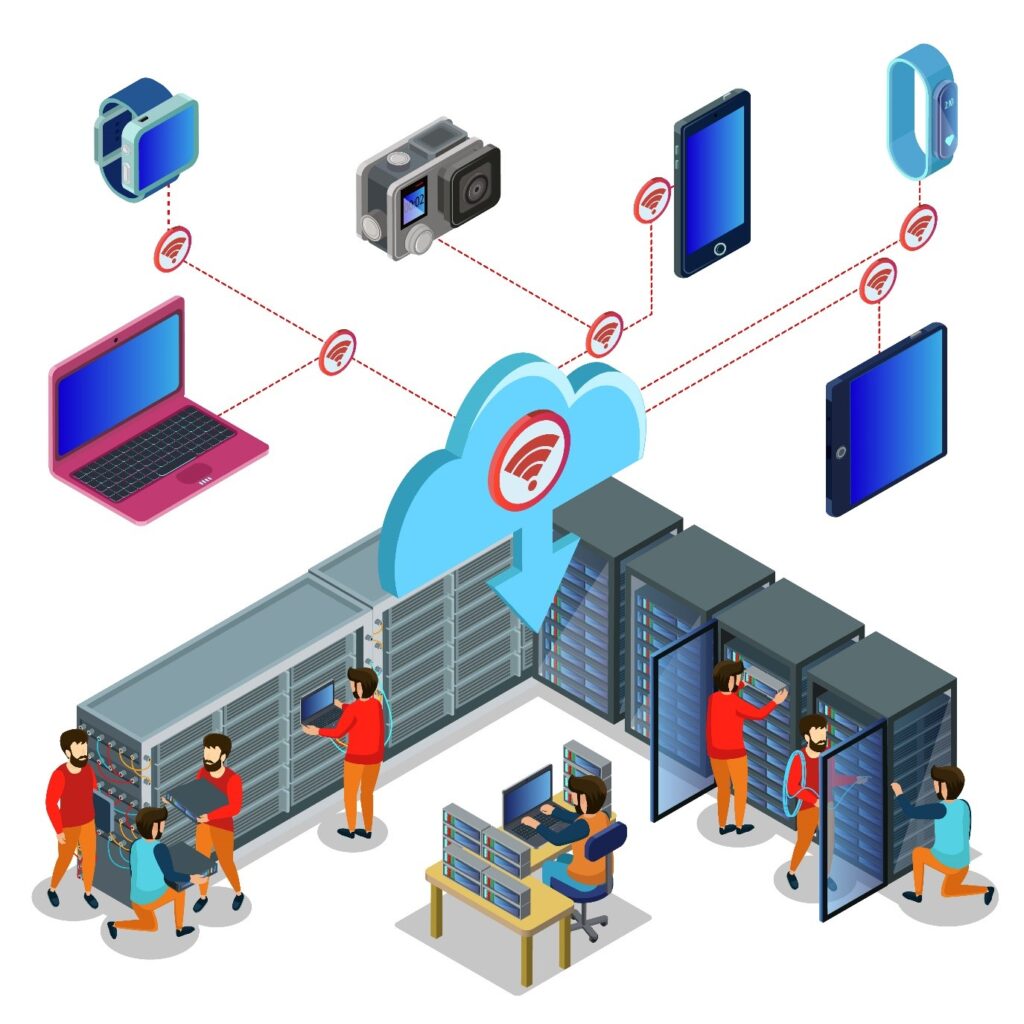
Cloud solutions allow businesses to store and access data securely from anywhere. Backup systems ensure data recovery in case of failure or cyber attack.

CCTV & Security Systems

Many IT providers also install and manage surveillance systems to enhance physical security.

Wi-Fi Deployment & Optimization

Professional Wi-Fi setup ensures strong coverage, fast speed, and secure connections across your office.

IT Consulting & Strategy

IT experts help businesses plan long-term technology strategies aligned with growth goals.

How to Choose the Best IT Service Provider Near You

How to Choose the Best IT Service Provider Near You
people working with social media icons vector illustration design

Finding the right IT partner requires careful evaluation.

Experience and Expertise

Look for providers with proven experience in your industry. Skilled engineers can solve complex problems quickly.

Service Level Agreement (SLA)

A clear SLA defines response times, support availability, and service quality. This ensures accountability.

Customer Reviews and Case Studies

Check testimonials and past projects to understand the provider’s reliability and performance.

Pricing Transparency

Choose a provider with clear pricing—no hidden costs. Compare packages to find the best value.

24/7 Support Availability

Businesses operate beyond office hours. Ensure your IT provider offers round-the-clock support.

Benefits of Hiring a Professional IT Service Provider

Partnering with a professional IT company brings multiple advantages.

Reduced Downtime

Proactive monitoring prevents system failures, ensuring continuous operations.

Increased Productivity

Employees can work efficiently without technical interruptions.

Stronger Cybersecurity

Advanced protection reduces the risk of cyber attacks and data breaches.

Scalable Infrastructure

As your business grows, IT systems can be upgraded easily.

Cost Efficiency

Outsourcing IT is often more affordable than maintaining an in-house team.

Industries That Need IT Services in Hong Kong

IT services are essential across various industries.

  • Corporate offices
  • Retail businesses
  • Logistics and warehouses
  • Healthcare facilities
  • Educational institutions

Each industry requires customized solutions based on its operations.

Cost of IT Services in Hong Kong

The cost of IT services varies depending on:

  • Business size
  • Number of devices
  • Service complexity
  • Support level required

Common Pricing Models

  • Monthly managed IT packages
  • Per-device pricing
  • On-demand support charges

While initial costs may seem high, professional IT services provide strong ROI by reducing downtime and improving efficiency.

Common IT Problems Businesses Face

Many companies experience similar challenges:

  • Frequent network downtime
  • Slow systems and performance issues
  • Weak cybersecurity
  • Poor Wi-Fi coverage
  • Lack of technical expertise

A professional IT provider identifies and resolves these problems effectively.

IT Service Provider vs Freelance IT Support

FeatureIT Service CompanyFreelancer
ReliabilityHighMedium
Support24/7Limited
ExpertiseTeam-basedIndividual
ScalabilityHighLow

For long-term business growth, a professional IT company is the better choice.

Why Choose Us as Your IT Service Provider in Hong Kong

We provide reliable, scalable, and secure IT solutions tailored to your business.
  • Experienced IT engineers
  • Fast response and on-site support
  • Customized solutions
  • 24/7 monitoring
  • Competitive pricing

Our goal is to help your business operate smoothly with minimal technical disruptions.

Conclusion: IT Service Provider Near Me Hong Kong – Reliable & Affordable IT Solutions

Finding the right IT service provider near you in Hong Kong can transform your business operations. From improving network performance to strengthening cybersecurity, a professional IT partner ensures your systems run efficiently and securely.

Instead of dealing with constant technical issues, you can focus on growing your business while experts handle your IT infrastructure.

👉 Looking for reliable IT support in Hong Kong? Contact us today for a free consultation and site assessment.

Professional Wi-Fi Deployment for Offices: In today’s digital workplace, fast and reliable internet connectivity is no longer optional — it is essential. From cloud applications and VoIP calls to video conferencing and smart office systems, everything depends on a stable wireless network. Yet many offices still rely on basic routers that were never designed for high-density business environments.

So, why choose professional Wi-Fi deployment for offices?

Professional Wi-Fi deployment ensures optimized coverage, enterprise-level security, seamless connectivity, and scalable performance designed specifically for business operations. Unlike DIY router setups, professional deployment involves site surveys, network planning, enterprise hardware, and advanced configuration tailored to your office layout and user load.

If your office experiences slow speeds, dead zones, dropped video calls, or network congestion, this guide will explain why investing in professional Wi-Fi infrastructure is a smart long-term decision.

What Is Professional Wi-Fi Deployment?

Professional Wi-Fi deployment is a structured, engineered approach to designing and installing a business-grade wireless network. It goes far beyond plugging in a router.

Instead of relying on a single device placed randomly in a corner, professional deployment includes:

  • Detailed site survey
  • Heat mapping and signal analysis
  • Strategic access point placement
  • Channel and frequency optimization
  • Bandwidth allocation planning
  • Security configuration
  • Ongoing monitoring and management

The goal is to create a seamless wireless ecosystem where users can move around the office without losing connection, and where performance remains stable even during peak usage.

Professional Wi-Fi systems typically use enterprise-grade access points (APs), Power over Ethernet (PoE) switches, controllers, and firewall integration. These components work together to provide centralized control, advanced security, and optimized performance.

Unlike home routers, business Wi-Fi infrastructure is built to handle:

  • High device density
  • Large file transfers
  • Continuous cloud usage
  • Video conferencing traffic
  • IoT devices

In simple terms, professional Wi-Fi deployment transforms your office network from a basic connectivity tool into a scalable digital backbone.

Common Problems with Basic Office Wi-Fi Setup

Common Problems with Basic Office Wi-Fi Setup

Many offices underestimate the limitations of consumer-grade routers. While they may work for small home environments, they struggle in business settings.

1. Dead Zones

Large office layouts, glass partitions, concrete walls, and metal structures block signals. Without proper planning, some areas experience weak or no connectivity.

2. Network Congestion

When multiple employees connect laptops, phones, tablets, printers, and IoT devices to one router, bandwidth becomes overloaded. This results in slow speeds and buffering.

3. Security Vulnerabilities

Basic routers lack enterprise-grade security features such as VLAN segmentation, advanced firewall policies, and secure authentication protocols.

4. Poor Roaming Experience

Employees moving between meeting rooms may experience dropped connections because basic routers do not support seamless roaming.

5. Limited Scalability

As the business grows, adding more devices often requires replacing the entire setup rather than expanding strategically.

These issues directly impact productivity, employee satisfaction, and business operations.

Why Choose Professional Wi-Fi Deployment for Offices?

Here is the direct answer:

Professional Wi-Fi deployment provides optimized coverage, high performance under heavy load, enterprise-level security, seamless roaming, scalability, and centralized network control tailored specifically for business environments.

Let’s explore these benefits in detail.

Optimized Coverage and Signal Strength

Professional deployment begins with a site survey and heat mapping analysis. This ensures access points are placed in optimal positions to eliminate dead zones.

Instead of relying on signal guesswork, network engineers analyze:

  • Building materials
  • Office layout
  • Device density
  • Interference sources

The result is uniform coverage across all departments, meeting rooms, reception areas, and workstations.

Better Performance Under High User Load

Offices often have dozens or even hundreds of connected devices. Enterprise access points are designed to handle simultaneous high traffic without degrading performance.

Features include:

  • Band steering
  • Load balancing
  • Multi-user MIMO
  • Dual-band and tri-band support

This ensures smooth video conferencing, fast cloud application access, and uninterrupted collaboration.

Enterprise-Level Security

Security is one of the strongest reasons to choose professional Wi-Fi deployment.

Business-grade systems offer:

  • WPA3 encryption
  • VLAN segmentation
  • Guest network isolation
  • Firewall integration
  • Intrusion detection

These features protect sensitive business data and reduce the risk of cyber threats.

Seamless Roaming Across the Office

In large office spaces, employees move between rooms frequently. Professional systems enable seamless roaming, meaning devices automatically switch to the nearest access point without disconnecting.

This is critical for:

  • VoIP calls
  • Video meetings
  • Warehouse scanning systems
  • Mobile workstations

Scalability for Future Growth

Professional Wi-Fi networks are designed with future expansion in mind. Adding new employees or expanding office space does not require replacing the entire system. Instead, additional access points can be integrated seamlessly.

This protects your investment long term.

Centralized Monitoring and Management

Enterprise systems allow IT teams to monitor network performance in real time. Administrators can:

  • Track bandwidth usage
  • Identify bottlenecks
  • Detect unauthorized devices
  • Apply security updates remotely

This proactive approach minimizes downtime.

Key Components of a Professional Office Wi-Fi System

Key Components of a Professional Office Wi-Fi System

A complete professional Wi-Fi deployment typically includes:

Enterprise Access Points

These devices distribute wireless signals efficiently across the office.

PoE Switches

Power access points directly through Ethernet cables, reducing clutter.

Network Controller

Manages all access points from a central dashboard.

Firewall Integration

Protects the network from external threats.

Structured Cabling Infrastructure

Ensures stable wired backbone connectivity supporting the wireless system.

Each component works together to provide reliability, performance, and security.

Business Benefits of Professional Wi-Fi Deployment

Choosing professional deployment impacts business operations positively.

Increased Employee Productivity

Stable internet reduces interruptions and improves workflow efficiency.

Improved Collaboration

High-quality video conferencing and cloud access enhance team communication.

Reduced IT Support Issues

Proper configuration lowers troubleshooting frequency.

Support for Smart Office Technologies

IoT devices, smart lighting, and security systems operate smoothly.

Long-Term Cost Savings

While initial investment is higher, reduced downtime and maintenance costs result in strong ROI.

Professional Wi-Fi Deployment vs Standard Router Setup

Professional Wi-Fi Deployment vs Standard Router Setup
FeatureProfessional DeploymentBasic Router
CoverageOptimized via site surveyRandom placement
SecurityEnterprise-gradeBasic
ScalabilityExpandableLimited
MonitoringCentralizedMinimal
PerformanceHigh-density readyPerformance drops

This comparison clearly shows why businesses choose professional systems.

Deployment Process Overview

  1. Site assessment
  2. Network design planning
  3. Hardware selection
  4. Installation
  5. Configuration
  6. Testing and optimization
  7. Ongoing monitoring

Each step ensures reliability and performance.

Conclusion: Professional Wi-Fi Deployment for Offices

Why choose professional Wi-Fi deployment for offices?

Because your business depends on connectivity. Professional deployment delivers reliable performance, strong security, seamless coverage, and scalability that basic routers simply cannot provide.

In a modern office environment driven by cloud computing and digital collaboration, investing in professional Wi-Fi is not a luxury — it is a necessity.

If your office struggles with connectivity issues, a professional Wi-Fi assessment could transform your entire workflow.

Modern businesses run on connectivity. From cloud applications and VoIP calls to security systems and data centers, everything depends on a stable and organized network foundation. That foundation is called structured cabling. If you are asking, “What is structured cabling and why is it important?” — the answer goes beyond just cables and wires. It is about building a scalable, reliable, and future-ready infrastructure that supports your entire IT ecosystem.

Structured cabling is a standardized approach to designing and installing a complete telecommunications infrastructure within a building or campus. Instead of running random cables from device to device, structured cabling organizes all network wiring into a centralized, well-planned system. This structured method ensures better performance, easier management, and long-term cost savings.

From small offices to large data centers, structured cabling forms the backbone of digital communication. It supports internet connectivity, internal networks, security cameras, access control systems, and even smart building technologies. Without a properly structured system, businesses often face downtime, cable clutter, troubleshooting difficulties, and scalability problems.

In this comprehensive AEO (Answer Engine Optimization), GEO (Generative Engine Optimization), and SEO-optimized guide, you will learn:

  • What structured cabling really means
  • How it works
  • Its key components
  • Why it is critical for modern businesses
  • The long-term benefits of investing in it

By the end, you will clearly understand why structured cabling is not just an IT upgrade—but a strategic business investment.

What Is Structured Cabling?

What Is Structured Cabling

Structured cabling is a standardized cabling architecture designed to support multiple hardware uses and be suitable for today’s needs and future requirements. Unlike traditional point-to-point wiring—where cables run directly between devices—structured cabling uses a centralized and organized design.

At its core, structured cabling follows international standards such as TIA/EIA guidelines. These standards ensure uniformity, reliability, and compatibility across network installations. The system typically includes entrance facilities, backbone cabling, horizontal cabling, telecommunications rooms, and work area components.

Instead of installing separate cables for computers, phones, security systems, and wireless access points, structured cabling integrates everything into one unified infrastructure. This approach simplifies management and improves efficiency. For example, if a company expands or rearranges its office layout, technicians can easily reconfigure connections from patch panels instead of running entirely new cables.

Structured cabling also supports multiple types of signals including:

  • Data (internet and LAN)
  • Voice (VoIP systems)
  • Video (CCTV and conferencing)
  • Building automation systems

Another major advantage is scalability. As businesses grow and adopt new technologies like cloud computing or IoT devices, structured cabling can accommodate increased bandwidth demands without complete replacement.

In simple terms, structured cabling is the organized nervous system of a building’s communication network. It ensures all devices communicate efficiently, reliably, and securely.

Key Components of Structured Cabling

Key Components of Structured Cabling

Understanding structured cabling requires knowing its essential components. Each part plays a specific role in maintaining network stability and performance.

1. Entrance Facility

This is where external service provider cables enter the building. It serves as the transition point between outside networks and internal infrastructure. Proper grounding and protection systems are implemented here to ensure safety and signal integrity.

2. Backbone Cabling

Also called vertical cabling, backbone cabling connects different floors, telecommunications rooms, and equipment rooms. It typically uses high-capacity cables such as fiber optics to support large amounts of data transfer between building sections.

3. Telecommunications Room (TR)

These rooms house network switches, patch panels, and other connecting hardware. They act as distribution points for horizontal cabling and allow centralized control of connections.

4. Horizontal Cabling

This connects telecommunications rooms to individual work areas. It usually consists of Cat5e, Cat6, Cat6a, or fiber cables. Horizontal cabling ensures each workstation has reliable connectivity.

5. Work Area Components

These include wall outlets, patch cords, and connectors that link end-user devices to the network.

Together, these components create a structured ecosystem that improves organization, reduces interference, and enhances performance. By separating backbone and horizontal systems, businesses can isolate issues quickly and minimize downtime.

How Structured Cabling Works

Structured cabling works by centralizing network connectivity into organized pathways and distribution points. Instead of running chaotic cable lines directly between devices, all cables connect to centralized hardware like patch panels and switches.

When a device—such as a computer—sends data, the signal travels through a horizontal cable to the nearest telecommunications room. From there, switches route the data either within the local network or through backbone cabling to other parts of the building. If the data needs to access the internet, it travels through the entrance facility to the service provider.

This layered design improves both speed and reliability. Because cables are labeled, documented, and terminated properly, IT teams can easily identify connections. If a user changes desks, technicians simply reassign the port at the patch panel instead of rewiring the entire system.

Fiber optic backbone cables often support high-speed data transmission between floors, while copper cables support individual workstations. This hybrid approach balances performance and cost.

Structured cabling also supports redundancy. Businesses can design failover paths to ensure continuous operation even if one segment fails. This is especially critical for data centers, hospitals, and financial institutions.

Overall, structured cabling functions like a well-planned highway system—data travels through organized routes, minimizing congestion and maximizing efficiency.

Why Is Structured Cabling Important?

Structured cabling is important because it directly impacts network reliability, scalability, and long-term operational efficiency. In today’s digital economy, even a few minutes of downtime can result in significant financial losses.

1. Improved Network Performance

Structured systems reduce signal interference and data packet loss. Organized pathways maintain optimal performance and speed.

2. Reduced Downtime

Proper labeling and documentation allow faster troubleshooting. Problems can be identified and resolved quickly without disrupting the entire network.

3. Scalability for Growth

As businesses expand, new devices and systems can be added without redesigning the infrastructure. This future-proofs the investment.

4. Cost Efficiency

Although the initial installation may require investment, structured cabling reduces maintenance and upgrade costs over time.

5. Better Safety and Organization

Neatly arranged cables reduce fire hazards, overheating, and accidental disconnections.

6. Support for Advanced Technologies

Cloud computing, IoT devices, AI systems, and smart building technologies require high bandwidth and low latency—both supported by structured cabling.

In essence, structured cabling transforms network infrastructure from a reactive setup into a strategic asset. It enables businesses to operate smoothly, innovate confidently, and compete effectively in the digital landscape.

Conclusion: Structured Cabling Is a Long-Term Infrastructure Investment

So, what is structured cabling and why is it important?

Structured cabling is a standardized, organized network infrastructure system that supports data, voice, and video communication. It is important because it improves performance, reduces downtime, enhances scalability, and lowers long-term costs.

In a world driven by digital connectivity, structured cabling is not optional—it is foundational. Whether you run a small office or a large enterprise, investing in a professionally designed structured cabling system ensures that your network remains reliable, secure, and ready for future growth.

If your business relies on technology—and today, every business does—structured cabling is the backbone that keeps everything connected and performing at its best.

In today’s competitive and security-conscious business environment, protecting assets, employees, and customers is more important than ever. Theft, vandalism, employee misconduct, and operational inefficiencies can cause significant financial losses. That’s why many organizations are asking: What are the benefits of CCTV for businesses?

CCTV (Closed-Circuit Television) systems provide continuous video surveillance that enhances security, deters crime, improves employee accountability, supports legal protection, and delivers valuable operational insights. Modern CCTV solutions go beyond simple recording—they offer remote monitoring, AI-powered analytics, and integration with other business systems.

Whether you operate a retail store, corporate office, warehouse, hospital, or educational institution, CCTV has become an essential part of modern business infrastructure.

This comprehensive guide explains how CCTV works, its key advantages, industry-specific benefits, ROI impact, and how to choose the right system for your organization.

What Is CCTV and How Does It Work?

CCTV stands for Closed-Circuit Television. Unlike public broadcasting systems, CCTV transmits video signals to a limited set of monitors or storage devices. This creates a secure and controlled surveillance environment.

Modern CCTV systems typically include:

  • Surveillance cameras
  • DVR (Digital Video Recorder) or NVR (Network Video Recorder)
  • Storage devices (HDD or cloud storage)
  • Monitoring screens
  • Remote viewing software or mobile apps

There are two primary types of systems:

Analog CCTV

Uses coaxial cables and DVR systems. Suitable for smaller setups but limited in scalability.

IP CCTV (Internet Protocol)

Uses network cables and NVR systems. Provides higher resolution, remote access, and advanced analytics.

Cameras capture video footage and transmit it to recording devices. Businesses can monitor footage in real-time or review recorded clips when needed. Many modern systems support:

  • Motion detection alerts
  • Night vision
  • AI-based object recognition
  • Remote cloud access

CCTV has evolved from a passive recording tool into an intelligent business security solution.

What Are the Benefits of CCTV for Businesses?

The benefits of CCTV for businesses include crime prevention, improved employee productivity, enhanced workplace safety, real-time monitoring, legal protection, cost savings, customer security, and better operational control.

Let’s explore these benefits in depth.

1. Crime Prevention and Theft Deterrence

One of the most significant benefits of CCTV is crime prevention. Visible surveillance cameras act as a psychological deterrent. Criminals are far less likely to target a business that has active monitoring.

CCTV helps prevent:

  • Shoplifting
  • Burglary
  • Internal theft
  • Vandalism
  • Unauthorized access

Internal theft can be just as damaging as external crime. Employees may engage in time theft, inventory manipulation, or unauthorized activities. Knowing that cameras are installed encourages ethical behavior and accountability.

Businesses with CCTV systems often report reduced theft-related losses. The presence of cameras alone can dramatically lower security risks.

2. Improved Employee Productivity and Accountability

CCTV systems not only protect against crime—they also improve workplace discipline.

When employees know they are being monitored professionally and ethically, they tend to:

  • Follow company policies
  • Maintain punctuality
  • Focus on assigned tasks
  • Reduce unnecessary downtime

Managers can also use footage to analyze workflow patterns and identify inefficiencies. For example:

  • Are staff members handling customers properly?
  • Are warehouse workers following safety procedures?
  • Are employees adhering to operational guidelines?

This promotes a culture of accountability without requiring constant physical supervision.

3. Enhanced Workplace Safety

Safety is a major concern for businesses, especially in industrial or high-risk environments. CCTV systems help monitor hazardous areas and ensure safety compliance.

Examples include:

  • Monitoring machinery operations
  • Observing warehouse loading zones
  • Tracking restricted access areas
  • Ensuring compliance with safety protocols

In case of accidents, recorded footage provides accurate documentation. This can:

  • Clarify what happened
  • Prevent false claims
  • Support insurance processes
  • Improve safety policies

CCTV contributes to creating a safer working environment for everyone.

4. Real-Time Remote Monitoring

Modern IP CCTV systems allow business owners and managers to monitor their premises from anywhere.

Using secure mobile apps or web dashboards, you can:

  • View live feeds
  • Access recorded footage
  • Receive motion alerts
  • Monitor multiple branches

For multi-location businesses, this is especially valuable. Owners can supervise operations across different cities without being physically present.

Remote monitoring increases control and peace of mind.

5. Evidence Collection and Legal Protection

In case of disputes, CCTV footage serves as reliable evidence.

It can help in:

  • Legal disputes
  • Employee misconduct cases
  • Customer complaints
  • Insurance claims
  • Theft investigations

Having video proof protects businesses from false accusations. It also speeds up investigations and reduces legal risks.

Insurance companies may even favor businesses with surveillance systems because they reduce risk exposure.

6. Reduced Security Costs

While CCTV requires an upfront investment, it often reduces long-term security expenses.

Compared to hiring multiple security guards, surveillance systems:

  • Provide 24/7 monitoring
  • Require minimal manpower
  • Operate continuously
  • Cover large areas

CCTV does not replace human security entirely but enhances efficiency. A smaller security team can monitor multiple cameras simultaneously.

This results in better resource allocation and lower recurring costs.

7. Improved Customer and Visitor Safety

Customers feel safer in monitored environments. Retail stores, banks, hotels, and offices benefit from increased customer confidence.

CCTV helps:

  • Monitor entry and exit points
  • Prevent harassment
  • Control crowd behavior
  • Enhance parking lot security

A secure environment strengthens brand reputation and customer trust.

8. Operational Insights and Business Optimization

Beyond security, CCTV offers operational advantages.

Managers can analyze:

  • Customer flow patterns
  • Peak business hours
  • Staff performance
  • Queue lengths

Retail businesses can adjust staffing schedules based on traffic patterns. Warehouses can optimize logistics workflows.

Modern AI-powered cameras even provide:

  • Heat mapping
  • People counting
  • Behavior analytics

These insights support smarter business decisions.

Industry-Specific Benefits of CCTV

Industry-Specific Benefits of CCTV

Retail Businesses

  • Prevent shoplifting
  • Monitor POS transactions
  • Track customer behavior

Corporate Offices

  • Protect intellectual property
  • Monitor access control areas
  • Enhance employee security

Warehouses & Logistics

  • Monitor inventory
  • Secure loading docks
  • Prevent cargo theft

Healthcare Facilities

  • Ensure patient safety
  • Monitor restricted areas
  • Prevent unauthorized access

Educational Institutions

  • Protect students and staff
  • Monitor campus activities
  • Enhance emergency response

CCTV systems can be customized based on industry needs.

ROI of CCTV Systems | The Benefits of CCTV for Businesses

Return on investment (ROI) is one of the strongest arguments for CCTV installation.

Consider this example:

If a retail store loses $1,000 monthly due to shoplifting, annual losses reach $12,000. A properly installed CCTV system costing $5,000 can significantly reduce theft, paying for itself within months.

Additional ROI factors include:

  • Reduced insurance premiums
  • Lower theft losses
  • Fewer legal disputes
  • Improved productivity

CCTV is not an expense—it is a strategic investment.

Legal and Privacy Considerations

Businesses must follow ethical and legal guidelines.

Best practices include:

  • Informing employees about surveillance
  • Installing visible signage
  • Avoiding private areas (restrooms, locker rooms)
  • Securing stored footage
  • Following local data protection laws

Responsible usage builds trust and compliance.

How to Choose the Right CCTV System for Your Business

How to Choose the Right CCTV System for Your Business

To maximize benefits:

  1. Assess security risks
  2. Identify coverage areas
  3. Choose camera types (dome, bullet, PTZ)
  4. Determine storage requirements
  5. Consider remote access features
  6. Integrate with alarm or access control systems

Professional consultation ensures proper planning and installation.

Conclusion: The Benefits of CCTV for Businesses

So, what are the benefits of CCTV for businesses?

CCTV enhances security, reduces crime, improves productivity, strengthens legal protection, and provides valuable operational insights. It offers long-term cost savings and scalable protection for businesses of all sizes.

In a world where security and efficiency define success, CCTV is no longer optional—it is essential infrastructure.

How to Improve Business Network Security: In the digital age, network security is no longer optional—it is a core part of business strategy. From small startups to multinational corporations, cyber threats are constantly evolving, targeting sensitive data, financial information, and critical operational systems. A single breach can result in financial loss, operational downtime, legal complications, and irreparable reputational damage.

Businesses today face a wide range of risks: ransomware attacks, phishing attempts, malware infections, insider threats, and vulnerabilities in Wi-Fi networks. Protecting digital assets is not just a technical requirement—it’s a business imperative. But the question remains: How can businesses realistically improve their network security?

Improving network security involves more than installing antivirus software. It requires a holistic approach that combines technology, policy, employee awareness, and proactive monitoring. This guide outlines actionable strategies and best practices that businesses of all sizes can implement to secure their networks effectively and sustainably.

By following these steps, companies can protect sensitive information, maintain regulatory compliance, safeguard customer trust, and ensure uninterrupted operations—transforming security from a reactive measure into a strategic business advantage.

What Is Business Network Security?

Business network security refers to the processes, technologies, and policies that protect an organization’s digital infrastructure from unauthorized access, data breaches, and cyber attacks. It covers everything from internal servers and employee devices to cloud services and network hardware.

At its core, network security ensures three key principles—confidentiality, integrity, and availability (CIA triad). Confidentiality protects sensitive information from unauthorized access. Integrity guarantees that data remains accurate and untampered. Availability ensures that systems and data are accessible to authorized users when needed.

A strong business network security framework integrates hardware solutions like firewalls, routers, and secure Wi-Fi access points with software solutions such as antivirus programs, endpoint protection, encryption, and monitoring systems. Policies and procedures complement technology by defining who can access what, how data is handled, and how employees respond to potential threats.

Without robust network security, businesses risk financial losses, operational disruptions, and severe reputational damage. Cyber attacks can happen to any organization, regardless of size, industry, or location. Implementing a comprehensive network security strategy is no longer a technical concern for IT departments alone—it is a strategic decision with direct implications for business continuity and competitive advantage.

Why Business Network Security Is Critical

Why Business Network Security Is Critical

The digital transformation of business operations has increased efficiency but also created new vulnerabilities. Every online transaction, cloud storage solution, email exchange, and network-connected device is a potential entry point for cybercriminals.

The impact of network security failures can be catastrophic. For instance, ransomware attacks can encrypt critical business data, demanding a hefty ransom for release. Insider threats—whether malicious or accidental—can compromise sensitive customer or employee data. Regulatory violations due to inadequate security can result in fines and legal penalties.

A strong network security posture directly influences customer trust. Clients and partners are more likely to engage with organizations that demonstrate responsibility for protecting their data. Moreover, investors often assess cybersecurity practices as part of their risk evaluation.

Beyond preventing immediate losses, robust security contributes to long-term operational stability. Businesses with effective network protection experience fewer disruptions, reduce downtime, and maintain continuous service delivery. In essence, investing in network security safeguards not only data but also the company’s brand, reputation, and bottom line.

How to Improve Business Network Security

Improving network security is a multi-faceted process, combining technology, policy, and employee awareness. The following strategies are practical, realistic, and actionable.

1. Install a Business-Grade Firewall

Firewalls act as the first line of defense against cyber threats. Unlike consumer-grade firewalls, business-grade solutions provide advanced threat detection, application-level filtering, and intrusion prevention.

Next-generation firewalls (NGFWs) can identify suspicious traffic, prevent unauthorized access, and integrate threat intelligence updates automatically. Proper configuration is essential: unused ports should be closed, default passwords changed, and firmware kept up to date.

A well-implemented firewall significantly reduces the risk of unauthorized access, malware infiltration, and targeted cyber attacks. It provides a controlled environment where business networks can operate safely and securely.

2. Implement Strong Access Control Policies

Not all employees require the same level of access. Role-based access control (RBAC) ensures that users have only the permissions necessary to perform their duties.

This principle of least privilege minimizes exposure to sensitive systems. For example, HR data should be accessible only to HR personnel, while financial records remain limited to accounting staff. Regular access reviews and monitoring help prevent privilege creep and insider threats.

Strong access control policies combined with monitoring alerts ensure that any suspicious login activity is promptly investigated, maintaining both security and operational accountability.

3. Enable Multi-Factor Authentication (MFA)

Passwords alone are often insufficient protection. Multi-factor authentication (MFA) adds an additional verification layer, requiring users to provide two or more forms of identification before access is granted.

Typical MFA methods include time-based one-time passwords (TOTP), SMS codes, authentication apps, or biometric verification. By implementing MFA on critical systems—such as email, VPNs, and cloud dashboards—businesses can prevent unauthorized access even if passwords are compromised.

MFA is a cost-effective, proven method for significantly reducing cyber risk and is now considered a standard practice for modern businesses.

4. Encrypt Sensitive Data

Encryption transforms readable data into a coded format, accessible only to authorized users with decryption keys.

Businesses must encrypt:

  • Data at rest: stored in databases or file servers
  • Data in transit: emails, file transfers, and online communications

SSL/TLS certificates secure communications over networks, while database encryption ensures that even if storage is breached, sensitive data remains protected. Encryption is not only a security measure but also a requirement for many regulatory frameworks, ensuring compliance and reducing liability.

5. Keep Systems Updated

Outdated software and hardware create vulnerabilities easily exploited by attackers.

A disciplined patch management process ensures that:

  • Operating systems are current
  • Firmware is up to date
  • Applications receive regular updates
  • Security vulnerabilities are promptly addressed

Automating updates where possible reduces the risk of human oversight and maintains a strong security posture across all devices and systems.

6. Deploy Network Monitoring Tools

Continuous monitoring provides early detection of suspicious activity, preventing small incidents from escalating.

Tools include:

  • Intrusion Detection Systems (IDS)
  • Intrusion Prevention Systems (IPS)
  • Security Information and Event Management (SIEM) platforms

Monitoring allows IT teams to track unusual network traffic, detect malware, and respond proactively. Combining monitoring with automated alerts ensures that potential threats are addressed in real-time.

7. Secure Office Wi-Fi Networks

Unsecured Wi-Fi networks are a common vulnerability. Businesses must:

  • Use WPA3 encryption
  • Implement strong passwords
  • Isolate guest networks
  • Consider VLAN segmentation

Proper Wi-Fi configuration prevents unauthorized access, protects sensitive devices, and maintains overall network integrity.

8. Install Endpoint Protection

Every connected device is a potential threat vector. Endpoint protection solutions secure laptops, desktops, and mobile devices.

Features include:

  • Antivirus and anti-malware
  • Device management
  • Remote wipe capability
  • Real-time threat detection

With endpoint protection, businesses reduce the likelihood of a compromised device affecting the broader network.

9. Conduct Regular Security Audits

Audits identify weaknesses before attackers exploit them.

A comprehensive audit includes:

  • Vulnerability scans
  • Penetration testing
  • Risk assessment
  • Policy review

Proactive auditing strengthens security strategy, ensuring systems remain robust against emerging threats.

10. Train Employees

Human error accounts for a majority of breaches.

Cybersecurity training teaches staff to:

  • Identify phishing attempts
  • Follow password best practices
  • Navigate safely online
  • Report suspicious activity

An informed workforce acts as the first line of defense, complementing technological solutions.

Layered Security Approach

Security is most effective when applied in layers:

  1. Firewalls for perimeter defense
  2. Access control for internal protection
  3. Encryption for data security
  4. Endpoint protection for devices
  5. Monitoring for threat detection

If one layer is breached, others continue protecting critical systems.

Benefits of Improved Network Security

Benefits of Improved Network Security

Investing in network security provides tangible business benefits:

  • Prevents data breaches and financial loss
  • Maintains customer trust
  • Ensures regulatory compliance
  • Supports operational continuity
  • Reduces risk exposure

Effective network security is not just technical—it’s a business growth enabler.

Conclusion

Improving business network security requires a holistic approach that combines technology, policy, and human awareness. By implementing firewalls, multi-factor authentication, encryption, endpoint protection, monitoring, and ongoing employee training, businesses can proactively defend against cyber threats, maintain continuity, and protect both their data and reputation.

Cybersecurity is an ongoing process, not a one-time project. Treating it as a strategic priority ensures long-term resilience and competitive advantage.

Introduction: The Importance of Networking Solutions for Enterprises

Top Business Networking Solutions for Enterprises: In the modern business world, networking infrastructure is the backbone of enterprise operations. For Hong Kong enterprises, where speed, reliability, and security are critical, choosing the right business networking solutions can significantly influence productivity, operational efficiency, and overall business growth. A well-designed network not only supports daily activities such as file sharing, communication, and collaboration but also ensures seamless connectivity across multiple offices, remote workers, and cloud-based services.

Enterprises in Hong Kong face unique challenges. Dense urban environments, high-rise office buildings, and strict data privacy laws like the Personal Data (Privacy) Ordinance (PDPO) demand networking solutions that are robust, scalable, and compliant. Outdated networks can lead to slow performance, downtime, and security vulnerabilities, directly impacting business reputation and revenue.

This guide explores the top business networking solutions for enterprises, highlighting wired, wireless, and cloud-based options. We’ll also discuss enterprise-grade vendors, security considerations, future trends, and strategies to select the right solution tailored for Hong Kong businesses. By the end, enterprise IT leaders and decision-makers will have the insight needed to implement a reliable, secure, and future-ready network.

Understanding Enterprise Networking

Enterprise networking is the practice of interconnecting multiple devices, applications, and systems to facilitate efficient communication, collaboration, and data sharing within an organization. Unlike small business networks, enterprise networks are more complex, often spanning multiple locations and requiring higher levels of redundancy, security, and performance.

Key components of enterprise networks include:

  • Local Area Networks (LANs): High-speed connectivity within office premises.
  • Wide Area Networks (WANs): Connecting multiple office locations securely.
  • Wireless Networks: Enterprise-grade Wi-Fi for employees and guests.
  • Virtual Private Networks (VPNs): Secure remote access for employees working from home or on the go.
  • Cloud Connectivity: Integrating cloud applications and services with on-premise infrastructure.

For Hong Kong enterprises, the primary goal is to maintain high-speed, reliable, and secure connectivity that supports business-critical applications while remaining flexible enough to adapt to growth and evolving technology trends.

Key Networking Challenges for Enterprises

Enterprise networks in Hong Kong face unique challenges due to dense urban infrastructure, high device density, and stringent data privacy requirements. Some of the most common challenges include:

  1. Scalability: As businesses expand, their networks must handle increasing traffic, devices, and locations without performance degradation.
  2. Security Threats: Cyberattacks, phishing, ransomware, and insider threats are increasingly common. Enterprises must protect sensitive customer and business data.
  3. Network Reliability: Downtime can result in lost revenue, reduced productivity, and reputational damage. Enterprises require networks with redundancy and failover mechanisms.
  4. Complex Management: Managing multiple devices, locations, and users is challenging without proper monitoring and management tools.
  5. Regulatory Compliance: Enterprises must comply with Hong Kong’s PDPO and industry-specific regulations, ensuring data privacy and secure information handling.

Understanding these challenges is crucial when selecting the appropriate networking solutions that align with business goals, compliance needs, and operational requirements.

Types of Business Networking Solutions

Types of Business Networking Solutions

Enterprises have several networking solution options to address their unique needs. Each type has distinct advantages and is suitable for different business scenarios:

  • Wired LAN Solutions: Provide high-speed, low-latency connections ideal for office desktops, servers, and conference rooms. They are reliable and less prone to interference.
  • Wireless Networking Solutions: Modern Wi-Fi solutions, such as Wi-Fi 6 or mesh networks, allow employees to connect mobile devices seamlessly, supporting hybrid work models.
  • Wide Area Networks (WANs): Securely link multiple branch offices across Hong Kong or international locations, ensuring consistent connectivity.
  • Virtual Private Networks (VPNs): Enable secure remote access for employees and business partners.
  • Cloud Networking Solutions: Software-defined WANs (SD-WAN), cloud-managed networks, and hybrid approaches improve flexibility, scalability, and monitoring capabilities.

The choice of solution depends on factors like office size, number of users, network traffic, and specific business requirements.

Top Enterprise Networking Solutions

Several leading vendors provide enterprise-grade networking solutions trusted by organizations worldwide:

  1. Cisco Enterprise Solutions: Known for robust switches, routers, wireless access points, and security appliances. Ideal for scalable and secure enterprise networks.
  2. Juniper Networks: High-performance routing and cloud networking solutions suitable for large-scale deployments.
  3. HPE Aruba Solutions: Offers enterprise Wi-Fi, network management tools, and IoT integration.
  4. Fortinet Networking: Security-focused solutions, including firewalls, SD-WAN, and unified threat management.
  5. Emerging Vendors: Innovative solutions tailored for hybrid cloud deployments, edge computing, and AI-driven network management.

Hong Kong enterprises can choose vendors based on performance, reliability, support services, and compatibility with existing IT infrastructure.

Choosing the Right Networking Solution for Your Enterprise

Choosing the Right Networking Solution for Your Enterprise

Selecting the optimal networking solution requires careful consideration of multiple factors:

  • Company Size: Networks must support current and future users efficiently.
  • Traffic Volume: High-volume data transfer needs may require enterprise-grade switches and WAN optimization.
  • Security and Compliance: Evaluate firewalls, VPNs, encryption, and regulatory compliance features.
  • Integration Needs: Ensure the network integrates smoothly with existing software, cloud applications, and IoT devices.
  • Cost vs Performance: Balance initial investment, recurring costs, and long-term ROI.

Professional consultation with certified IT providers ensures the solution is tailored to Hong Kong enterprises’ operational and compliance requirements.

Enterprise Network Security Solutions

Security is a top priority for enterprise networks. Effective measures include:

  • Firewalls and IDS/IPS: Protect against external and internal threats.
  • VPN Security: Ensures encrypted remote access for employees.
  • Zero Trust Models: Enforce strict verification of every device or user accessing the network.
  • Continuous Monitoring: Proactively identify and mitigate network threats.
  • Data Compliance Measures: Align with Hong Kong’s PDPO and other industry standards.

Investing in robust security solutions reduces the risk of data breaches, downtime, and regulatory penalties.

Cloud Networking vs Traditional On-Premise Networking

Cloud-managed networking is gaining traction due to its flexibility, scalability, and cost-effectiveness. Enterprises benefit from:

  • Centralized management of network devices via cloud dashboards.
  • Rapid deployment and simplified maintenance.
  • Integration with cloud applications and remote workforce support.

Traditional on-premise networks offer:

  • Full control over hardware and sensitive data.
  • Predictable long-term costs once infrastructure is purchased.
  • High customization for specific business workflows.

Many enterprises adopt a hybrid approach, combining cloud flexibility with on-premise control to optimize performance and security.

Network Monitoring and Management Tools

Network Monitoring and Management Tools

Monitoring and managing enterprise networks ensures consistent performance and security:

  • Network Performance Monitoring (NPM): Identifies bottlenecks and ensures high uptime.
  • Configuration Management Tools: Automate firmware updates and device configuration.
  • AI-driven Analytics: Predicts network issues and optimizes traffic dynamically.
  • Proactive vs Reactive Management: Proactive monitoring reduces downtime and operational disruption.

Proper network management ensures business continuity, improves productivity, and reduces operational costs.

Future Trends in Enterprise Networking

Hong Kong enterprises should prepare for evolving trends:

  • 5G Integration: High-speed mobile networks supporting IoT and remote operations.
  • AI-Driven Networking: Automation and predictive maintenance using artificial intelligence.
  • Edge Computing: Processing data closer to the source for lower latency.
  • Software-Defined Networking (SDN): Enhances flexibility and simplifies network management.
  • IoT Integration: Connecting smart devices securely across the enterprise network.

Adopting future-ready solutions ensures Hong Kong enterprises remain competitive and agile.

ROI and Benefits of Investing in Enterprise Networking

Investing in top business networking solutions delivers tangible benefits:

  • Improved productivity through faster and more reliable connections.
  • Enhanced collaboration and communication across departments and locations.
  • Greater security and compliance adherence.
  • Cost savings through centralized management and reduced downtime.
  • Scalability to accommodate growth and technological advancements.

A strategic networking investment positions enterprises for long-term success in Hong Kong’s competitive business environment.

Frequently Asked Questions (FAQ)

  1. What is the best networking solution for large enterprises?
  • Depends on business size, security needs, traffic volume, and budget. Hybrid solutions often balance flexibility and control.
  1. How can enterprises ensure network security in Hong Kong?
  • Use firewalls, IDS/IPS, VPNs, zero-trust models, and continuous monitoring aligned with PDPO compliance.
  1. Should enterprises choose wired, wireless, or hybrid networks?
  • Hybrid networks provide the best combination of speed, reliability, and flexibility for modern enterprises.
  1. How do cloud networking solutions benefit large businesses?
  • Centralized management, remote access, scalability, rapid deployment, and reduced IT maintenance costs.
  1. What are the common mistakes when implementing enterprise networks?
  • Underestimating traffic loads, neglecting security, ignoring scalability, and failing to integrate with existing IT systems.

Conclusion: Top Business Networking Solutions for Enterprises

Modern enterprises in Hong Kong require robust, scalable, and secure networking solutions to support business operations and growth. Wired, wireless, cloud, and hybrid networking options provide flexibility to meet different business needs. Investing in top business networking solutions ensures reliable connectivity, enhanced security, regulatory compliance, and long-term cost savings. By carefully assessing requirements, consulting IT professionals, and selecting future-ready solutions, Hong Kong enterprises can optimize network performance, support remote and hybrid teams, and maintain a competitive edge.